Knowledge Base
The Knowledge Base addon allows you to create a library of help articles for your customers. It facilitates self-service by organizing your resources by topic and providing a powerful search engine.
To use these features, the Knowledge Base addon must be enabled on your CLIENTXCMS.
Managing the Knowledge Base
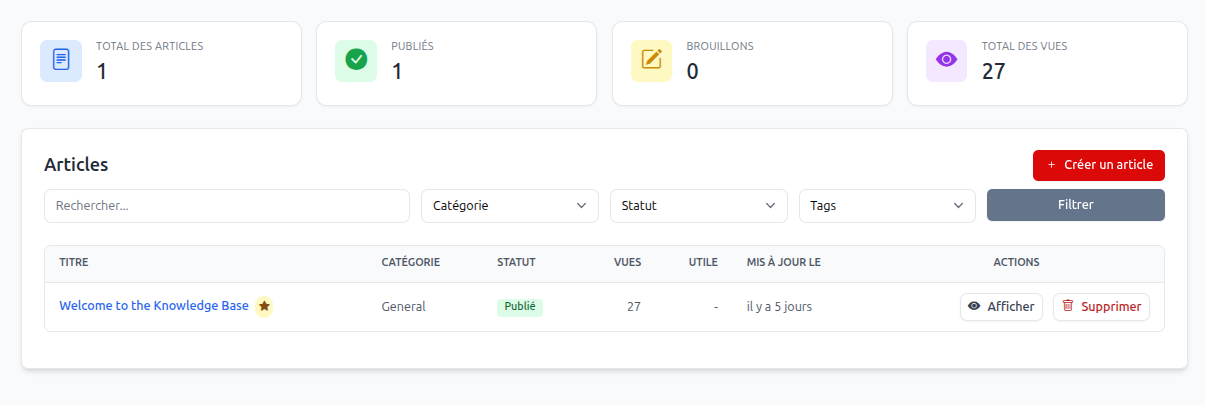
Management takes place in the Settings > Knowledge Base section. You will find two main tabs:
- Articles: To write and organize your content.
- Categories: To structure your help by topic (e.g., Billing, Services, General).
Creating an Article
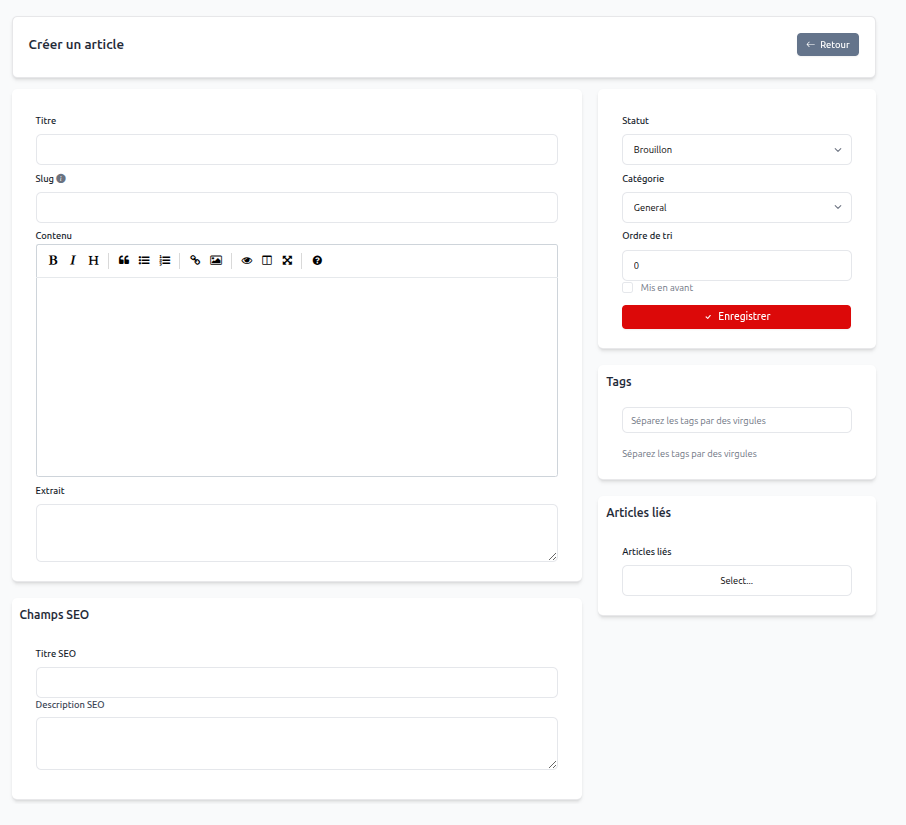
When creating or editing an article (Settings > Knowledge Base > Articles > Create an article), the following fields are available:
- Title: The title of the article as it will appear to your customers.
- Slug: The URL identifier (automatically generated from the title).
- Content: A rich text editor (WYSIWYG) to write your article, including images, links, and formatting.
- Excerpt: A short summary used in article lists.
- Status: Allows you to set whether the article is a Draft or is Published.
- Category: The topic the article is attached to.
- Sort Order: Defines the article's position in lists (lowest number first).
- Featured: A checkbox to display the article prominently on the help center home page.
- Tags: Keywords to improve search results.
- Related Articles: Allows you to suggest other articles at the end of the reading.
SEO Optimization
Each article has an SEO Fields section to improve its search engine ranking:
- SEO Title: The page title for browsers.
- SEO Description: The meta-description for search results.
User Experience (Client Area)
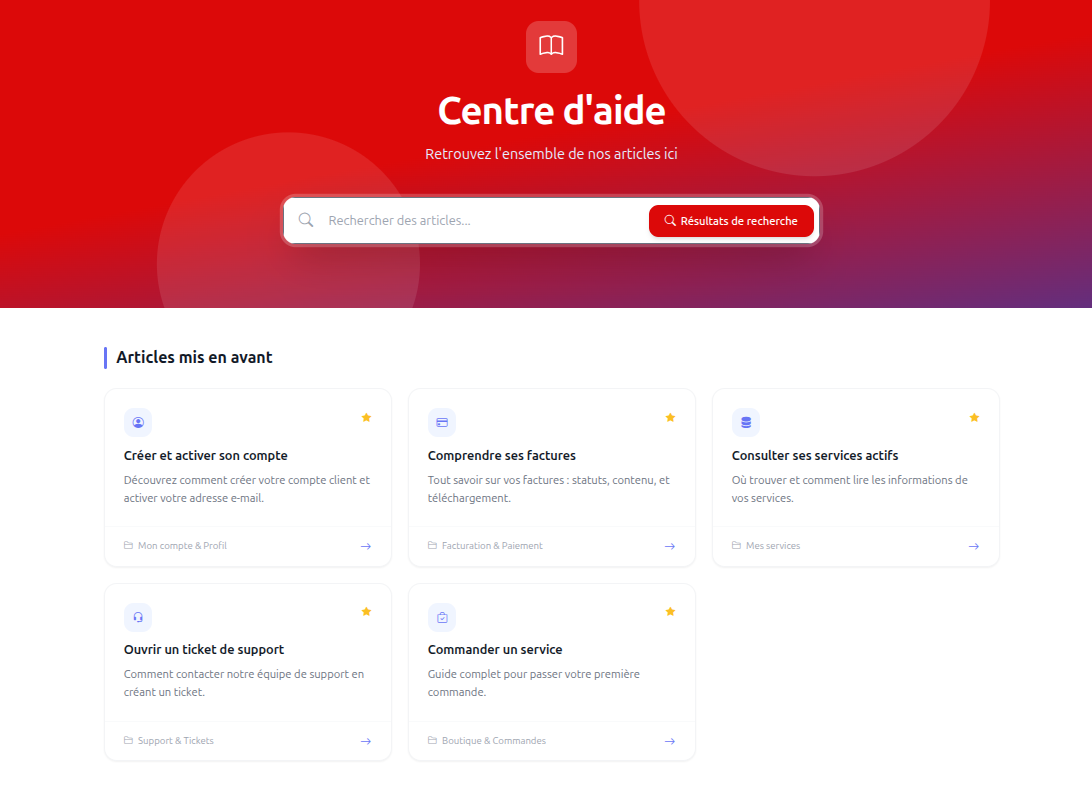
The Help Center is accessible directly from the client area. It offers a modern and intuitive interface:
- Search Engine: Allows customers to quickly find an answer by typing keywords.
- Featured Articles: Displays the most important guides right on the home page.
- Category Navigation: Allows exploring topics to find help.
- Article Usefulness: Customers can indicate if an article helped them, allowing you to measure the quality of your documentation.
Default Articles
Upon installation, default articles are provided to guide your customers through the basic use of their client area (Billing, Support, Services).
Advanced Features
Translating Articles
You can translate your articles into all languages supported by your platform via the built-in Translation Tool in CLIENTXCMS. This allows you to offer personalized help to your international clientele.
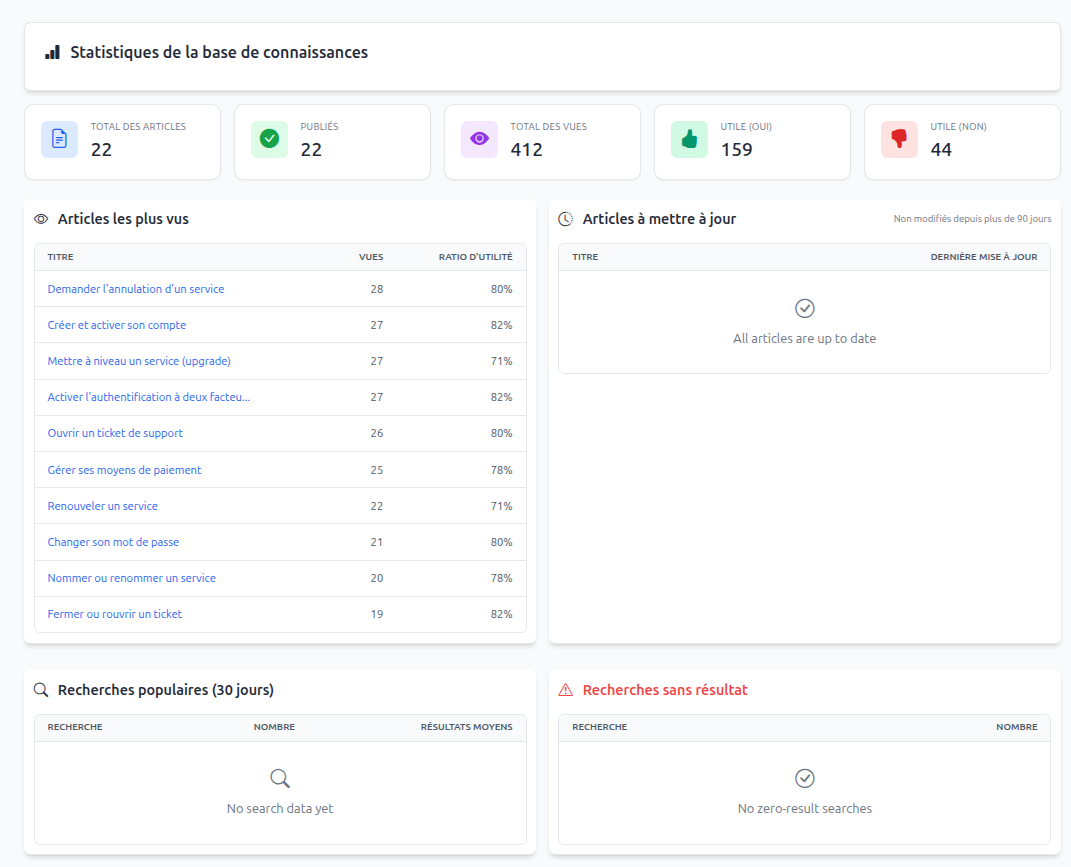
Statistics and KPIs
A dedicated statistics page allows you to track the effectiveness of your knowledge base:
- Total Views: To identify the most consulted topics.
- Usefulness Rate: To know which articles need improvement.
- Top Performing Articles.