Idea
The Idea addon adds a feedback and suggestion portal directly to your CLIENTXCMS client area. Your customers can submit ideas, vote for the improvements they consider most important, discuss proposals, and follow their progress.
It provides an experience similar to a dedicated feedback platform such as Fider, while remaining fully integrated into CLIENTXCMS.
The Idea addon must be installed and enabled on your CLIENTXCMS instance to use these features.
Customer Area
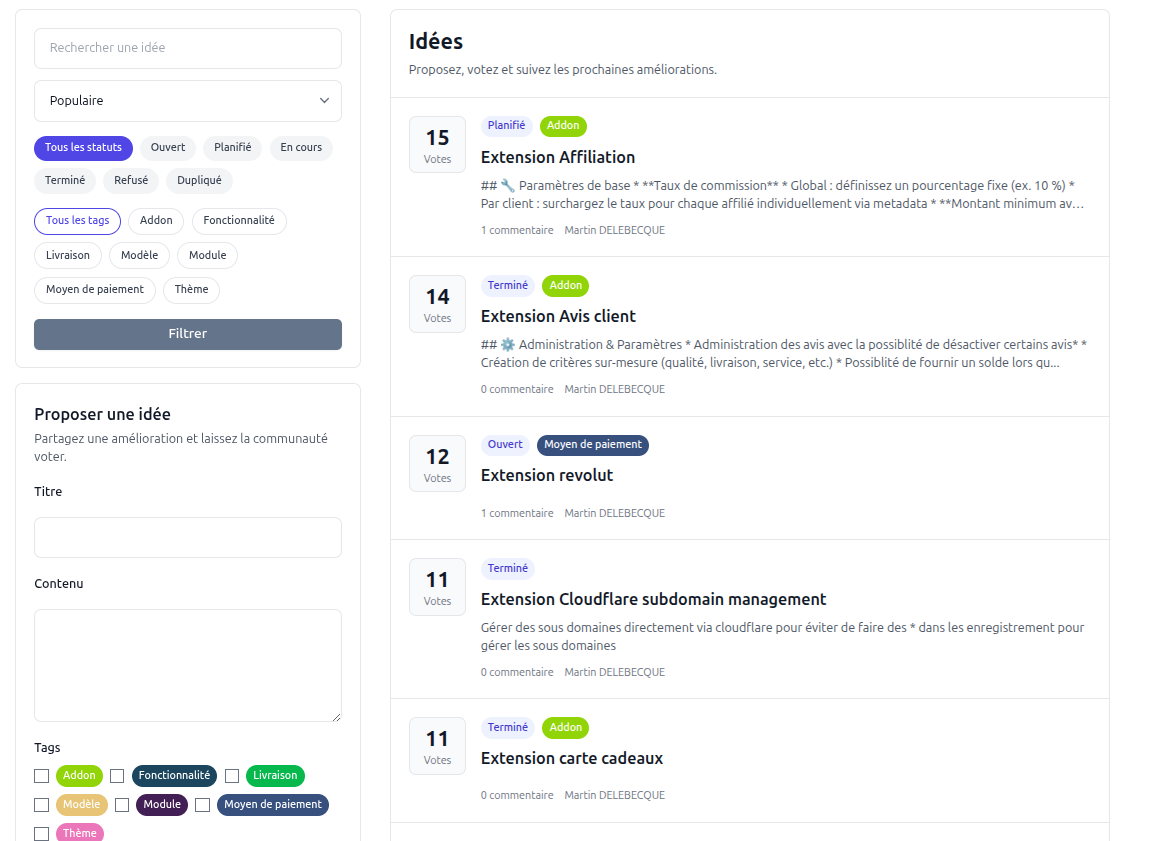
The ideas page gives customers an overview of the suggestions submitted by the community. Each entry displays its vote count, status, tags, number of comments, and author.
Customers can use the sidebar to:
- search for an idea by keyword;
- sort the list, for example by popularity;
- filter ideas by status or tag;
- submit a new idea using a title, content, and one or more tags.
The available statuses are Open, Planned, In progress, Completed, Rejected, and Duplicate. These statuses make the progress of each suggestion clear and provide customers with visibility into your roadmap.
Viewing and Following an Idea
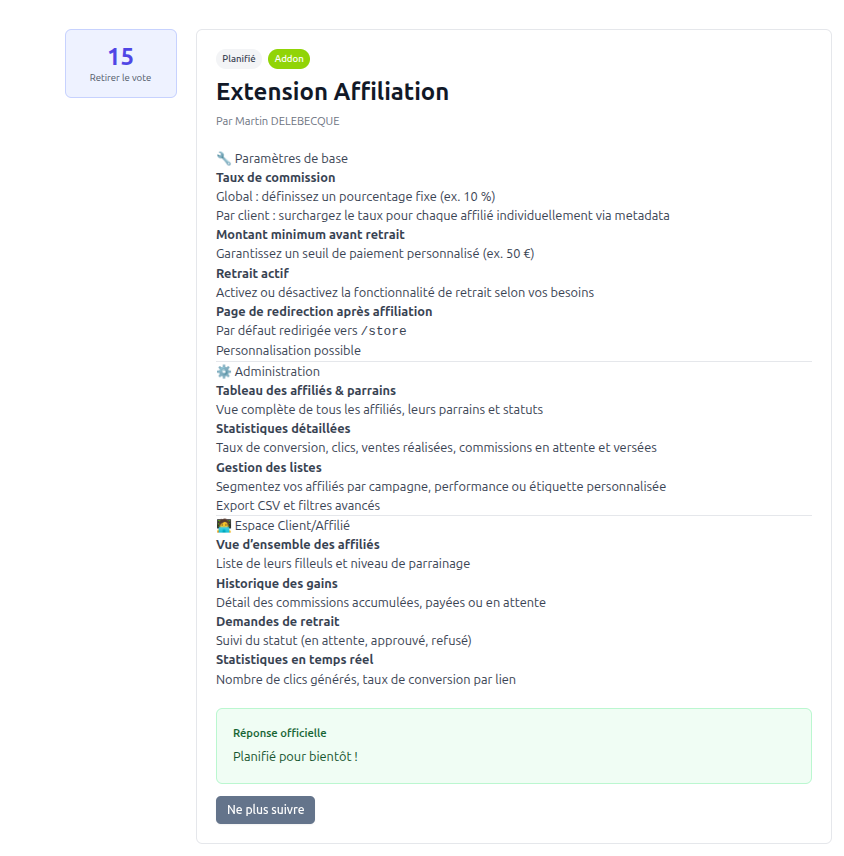
The detail page displays the complete suggestion, its current status, associated tags, author, and number of votes.
From this page, a customer can:
- vote for the idea or remove their vote;
- follow the idea or stop following it;
- read the discussion and add comments;
- view an official response published by your team.
Official responses are visually highlighted so that customers can easily distinguish updates from the administration team from community comments.
Administration
Idea management is available from Admin Panel → Settings → Ideas.
The administration area provides three sections:
- Ideas: manage suggestions, their statuses, tags, and official responses;
- Idea comments: moderate comments published on ideas;
- Idea tags: organize suggestions with public or internal tags.

Managing Ideas
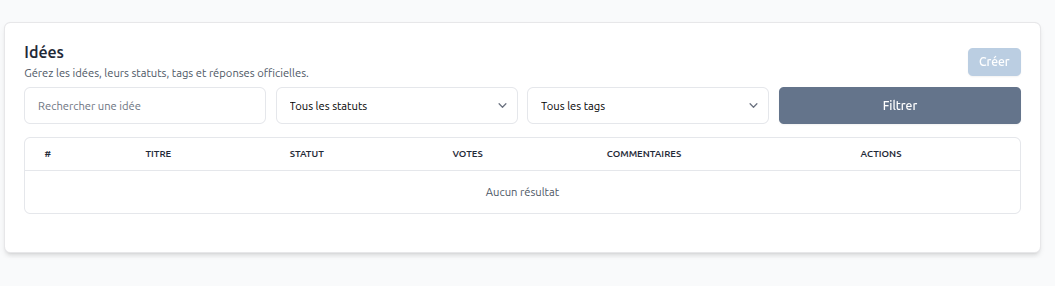
The Ideas section lists the suggestions submitted through the portal. Administrators can search by keyword and filter the list by status or tag. The table also shows the title, status, vote count, and number of comments for each idea.
Administrators can create or manage ideas from this section, update their status and tags, and publish an official response to communicate a decision or progress update.
Moderating Comments
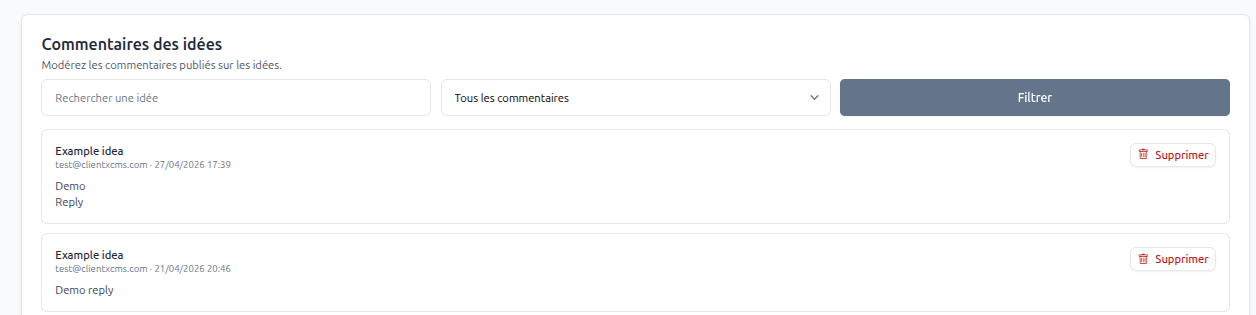
The Idea comments section centralizes comments posted by customers. Each entry identifies the related idea, customer, publication date, and comment content.
Administrators can search the comments, apply the available comment filter, and delete inappropriate or obsolete contributions.
Managing Tags
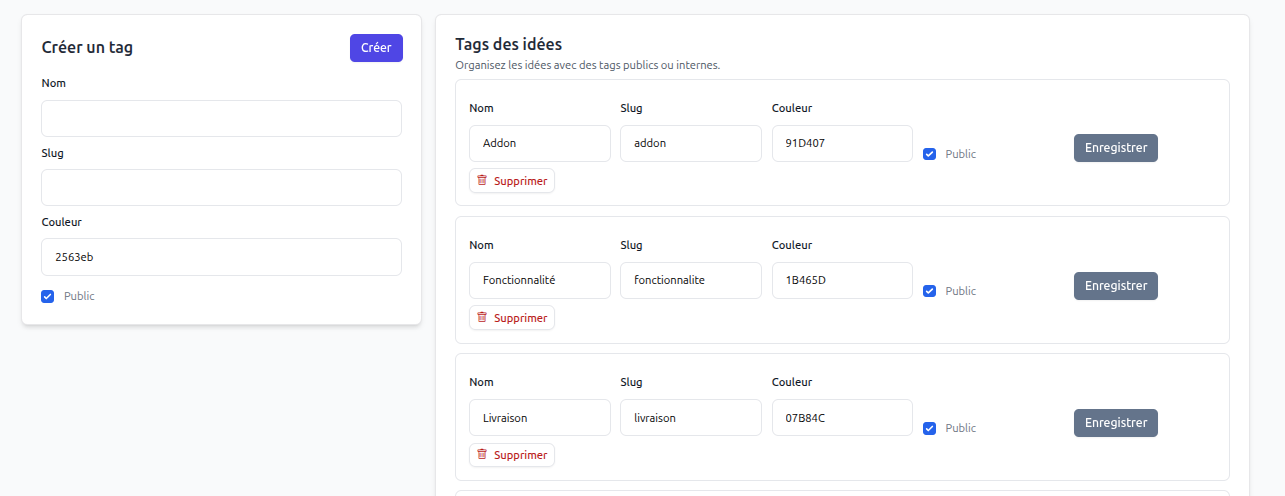
Tags help classify ideas and make the portal easier to browse. For each tag, you can configure:
- Name: the label displayed in the interface;
- Slug: the tag's URL-friendly identifier;
- Color: the hexadecimal color used for its badge;
- Public: determines whether customers can see and use the tag. Disable this option to keep the tag internal.
The same page can be used to create, edit, save, or delete tags.
Recommended Workflow
- Create tags that match your products or feedback categories.
- Review new ideas and assign the appropriate tags and status.
- Moderate customer discussions when necessary.
- Use official responses to acknowledge a suggestion or explain your decision.
- Update the status as the idea moves through your roadmap.
This workflow keeps customers informed while helping your team identify the most requested improvements through votes and discussions.
See Idea in Action
The Idea addon is used by CLIENTXCMS for its own public feedback portal. Visit clientxcms.com/ideas to discover the extension in a real-world environment, vote for upcoming improvements, and see how it creates a direct and transparent connection with the community.