Free Trial
The Free Trial add-on allows you to offer free trial periods for your services or products. You can enable it from the Extensions section, then configure it via extension settings.
Free Trial Configuration
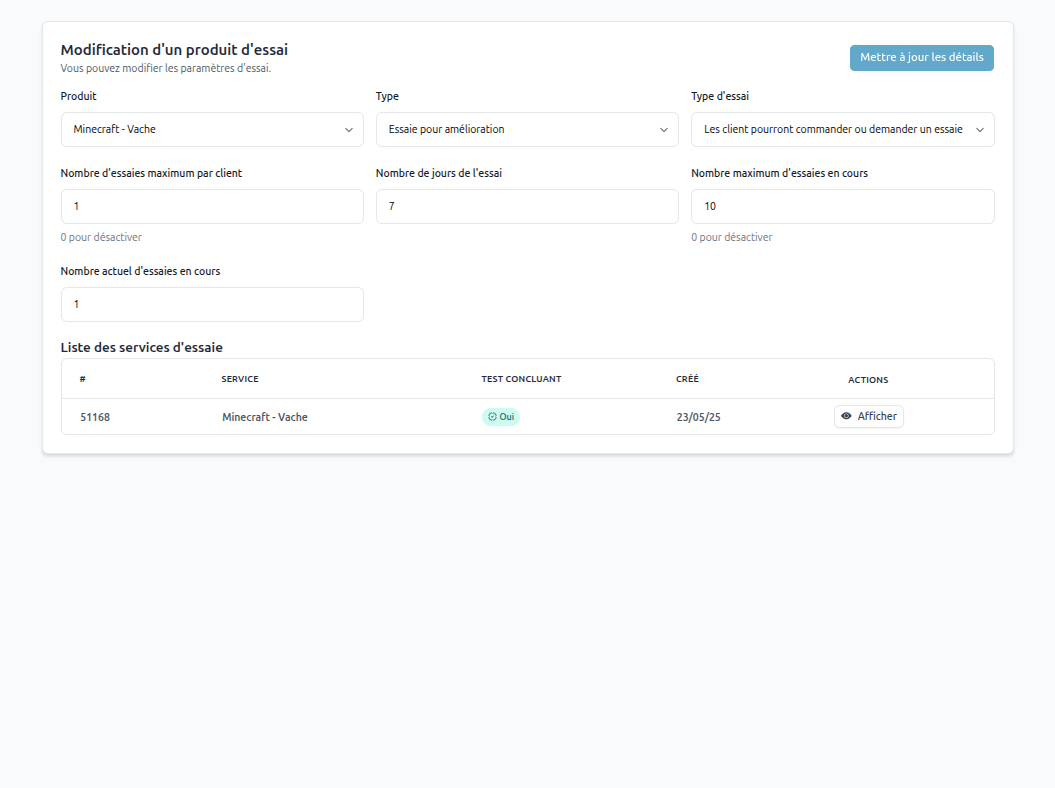
To configure a product for trial, go to the extension settings and add a product with the following parameters:
Product
Select the product or service to offer as a trial.
Type
Two options available:
-
Free Trial: The customer accesses the service for free for a defined number of days. At the end of this period, they can pay for a month of use.
-
Upgrade: The customer receives a basic service during the trial. They can then upgrade it with additional services.
-
Simple Trial: The customer can test the service for free for a defined period. At the end of this period, the service is automatically deleted if not converted to a paid purchase.
⚠️ Important: If upgrades don't appear on the service, you need to save the products in the corresponding group.
Trial Type
Determines the trial access behavior:
-
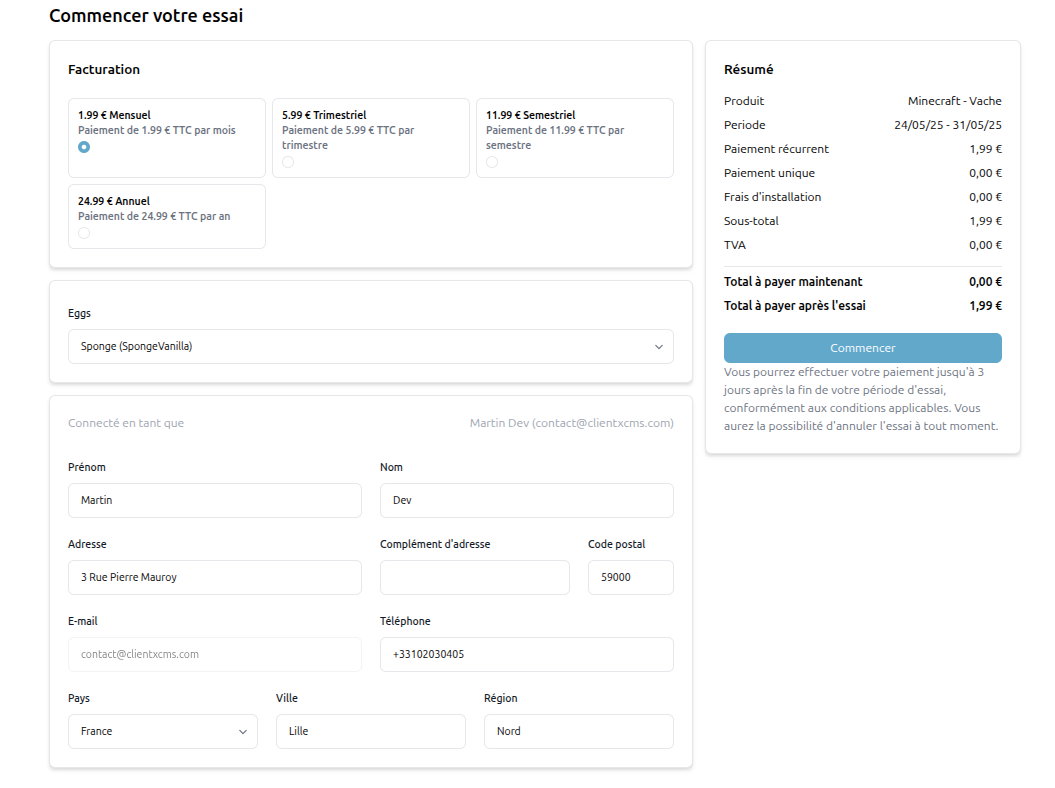
Customers will be forced to trial:
- The add button changes to reflect the mandatory trial.
- Adding to cart is disabled.
-
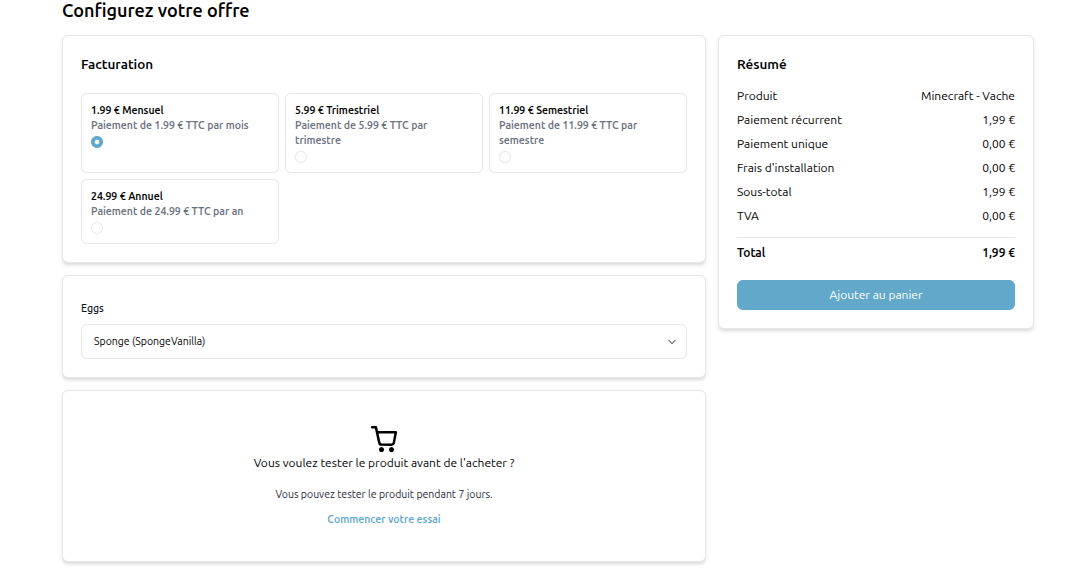
Customers can order or request a trial:
- Customers can add the product to cart normally.
- A call-to-action (CTA) button offers to test the product.
Maximum trials per customer
Indicates how many times a customer can benefit from the trial.
0 to disable the limit.
Number of trial days
Trial duration in days.
Current number of active trials
Displays the number of active trials at the moment (non-editable field).
Trial Services List
A table displays the services currently configured for trial with the following columns:
- Service
- Successful test
- Created
- Actions
This allows you to view and get information about your trial services.