Helpdesk Auto-Reply
This addon significantly improves your customer support efficiency by automating initial interactions and providing quick response tools for your technical team.
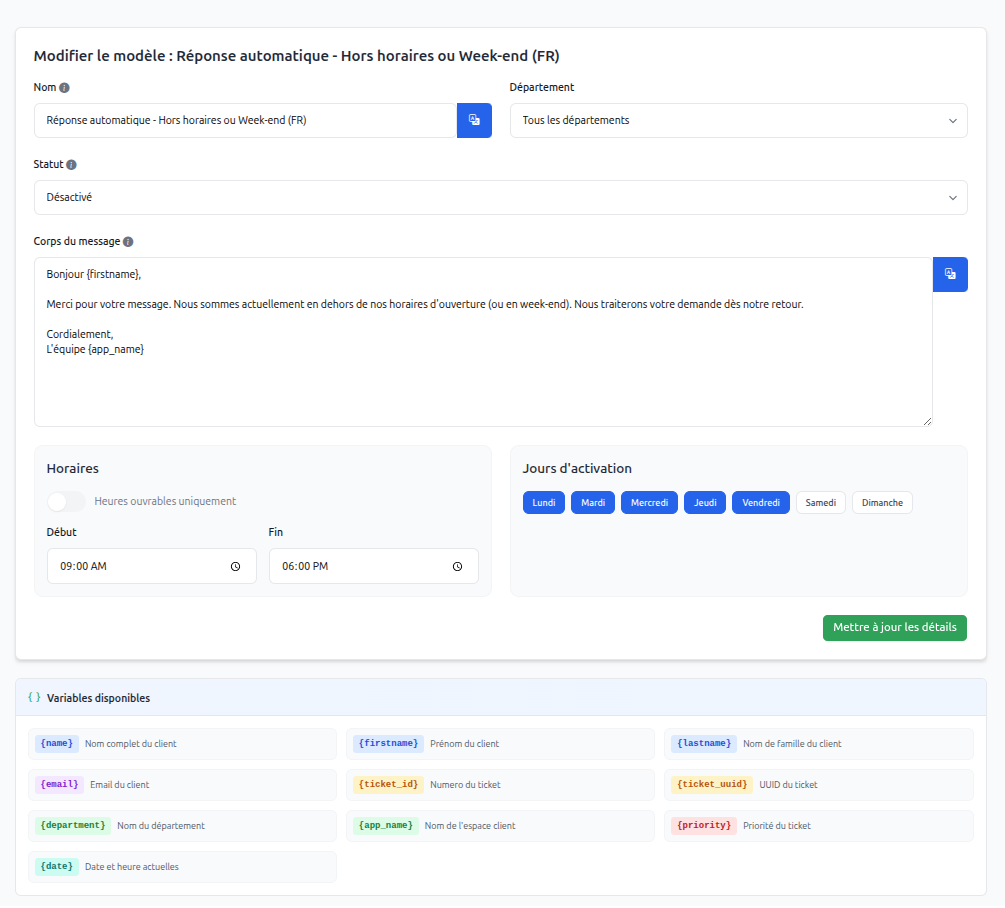
Auto-Replies
Automate message sending when a ticket is created by a customer.
- Department Targeting: Define specific replies for departments like "Technical Support", "Sales", etc., or a global reply.
- Schedule Management: Enable replies only outside business hours or during weekends using the day and hour selector.
- Dynamic Variables: Personalize your messages with the customer's first name, ticket ID, application name, etc.
Canned Responses
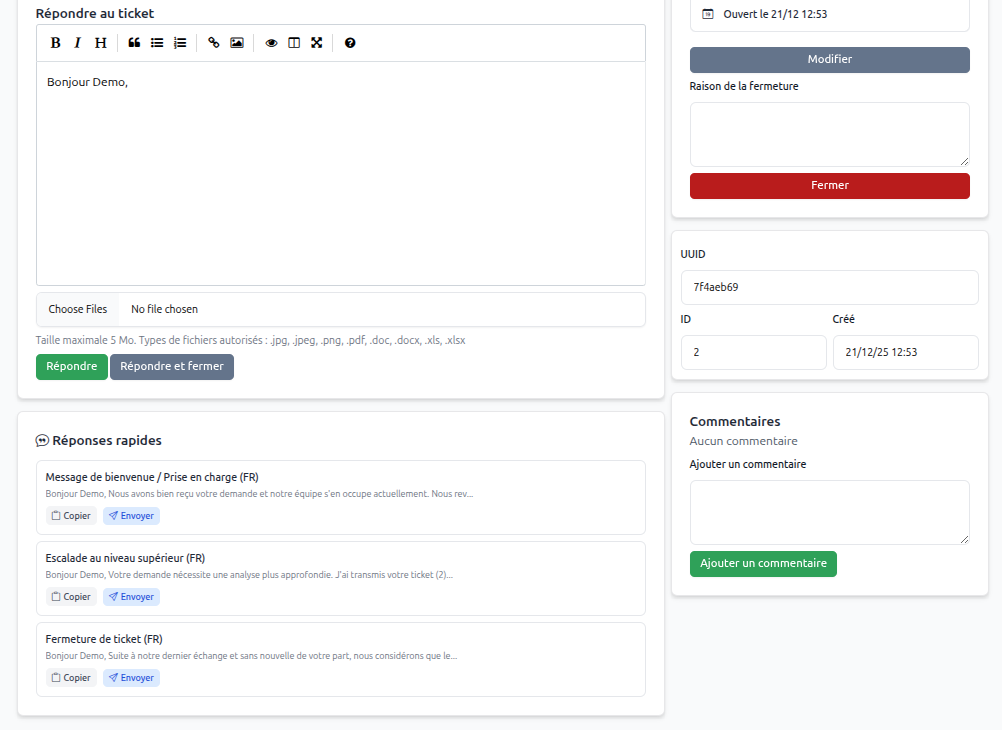
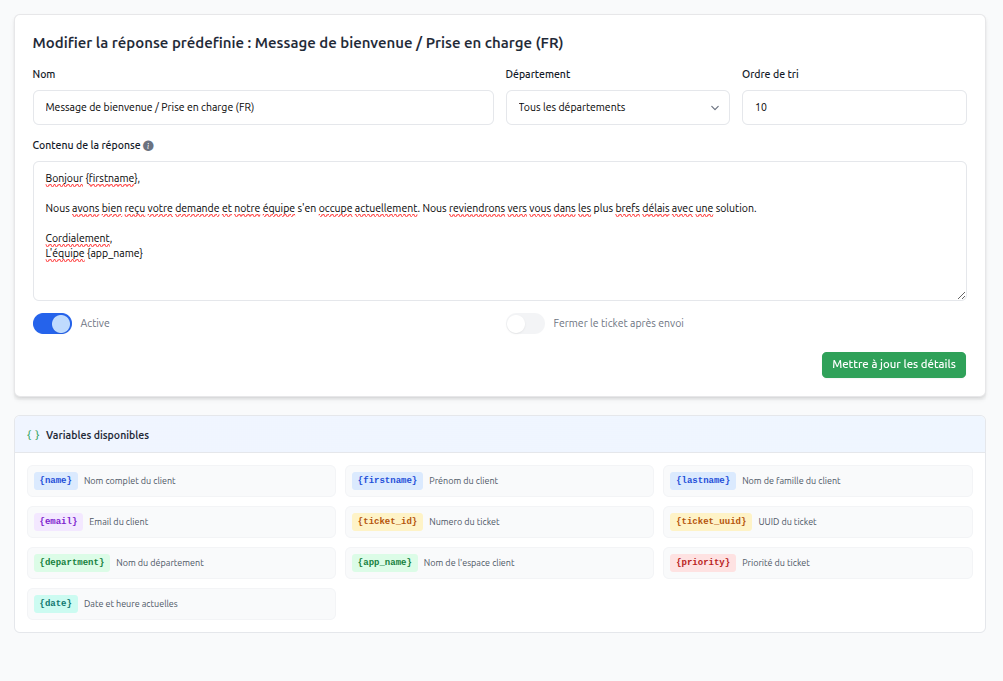
Save time on recurring requests with a library of ready-to-use responses.
- Quick Access: Available directly in the ticket management view via a dedicated sidebar panel.
- Auto-Close: Option to configure certain responses to automatically close the ticket after sending (ideal for closing messages).
- Copy or Direct Send: Choose to copy the content into your reply field for editing, or send it directly with a single click.
Internationalization
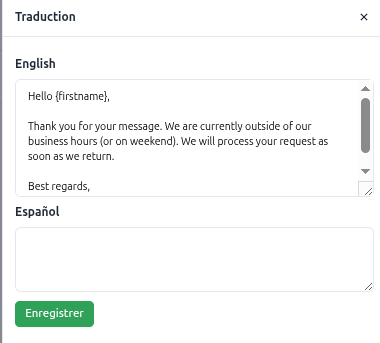
Native translation support for names and message bodies (FR/EN by default). You can add your own translations via the administration interface.
Available variables
You can use the following variables in your templates and responses:
{firstname}/{lastname}/{name}: Customer information{ticket_id}/{ticket_uuid}: Ticket identifiers{department}: Name of the relevant department{priority}: Ticket priority{app_name}/{app_url}: Your platform's information{date}: Current date and time