Service Pack
The Service Pack add-on lets you sell several services in a single offer. The customer orders a pack product, then ClientXCMS automatically creates the services included in that pack.
Packs are useful for bundled offers, such as web hosting with a game server, a reseller service with included options, or any combination of products that should renew together.
How it works
A pack contains several product rows. Each row can be configured in one of two ways:
- Required product: the product is defined directly in the pack. The customer does not choose this service, it is added automatically during the order.
- Customer choice: you define several possible products, then the customer chooses the one they want during the order.
The customer only pays for and renews the main pack product. When this product is renewed, the services included in the pack are renewed automatically.
Included services remain linked to the pack product. Renewal, suspension, or expiration should therefore be managed from the main pack service.
Create a pack product
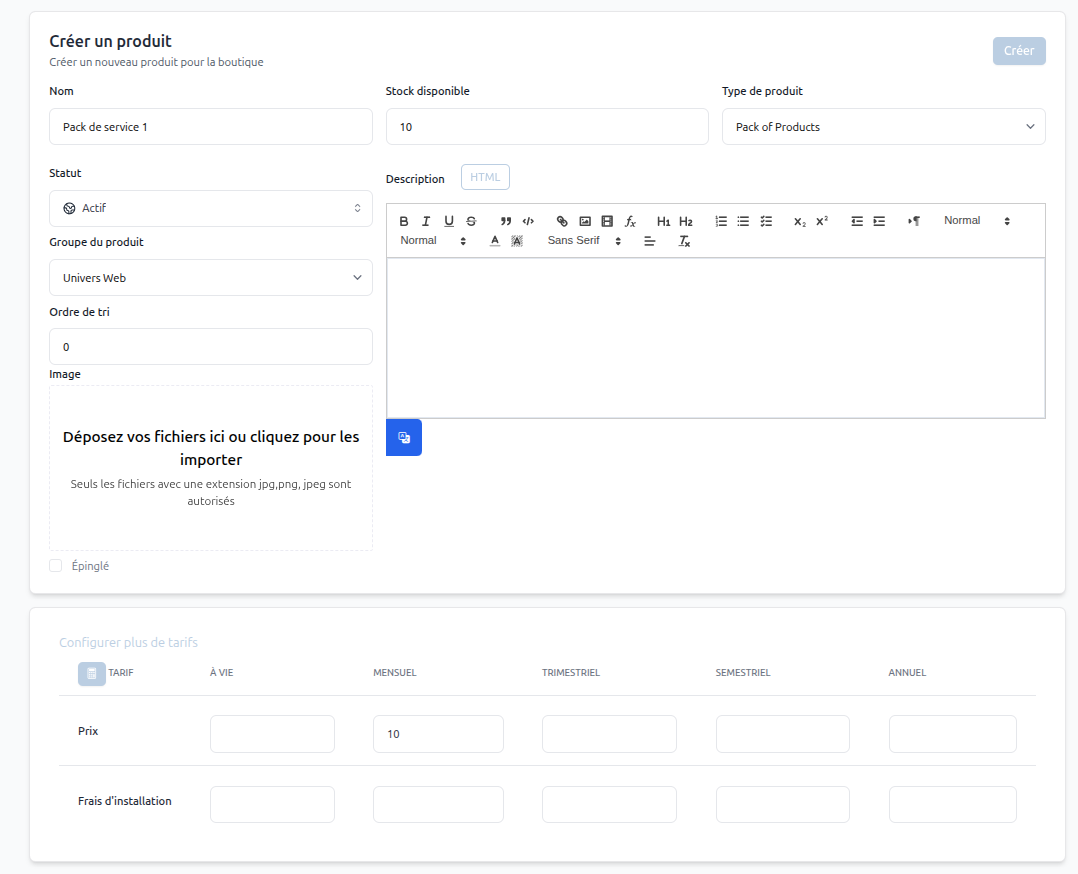
In the administration panel, create a new product and select the Pack Of Products type.
Then configure the usual product information:
- The pack name.
- The product group.
- The available stock.
- The description.
- The pack price.
The price displayed to the customer corresponds to the pack product. Included products are not renewed separately by the customer.
Configure included products
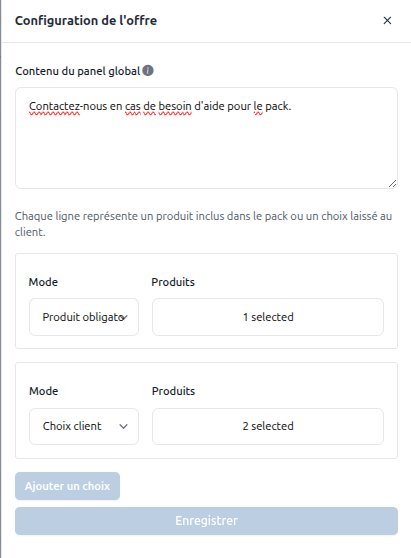
After creating the pack product, open the offer configuration. You can add content displayed in the global panel, then define the included product rows.
Each row represents either a required product or a choice left to the customer.
Required product
Use Required product when a service must always be included in the pack. Select the relevant product: it will be created automatically for every pack order.
Example: a "Web Reseller" pack can always include a predefined reseller hosting product.
Customer choice
Use Customer choice when the customer must choose between several products during the order.
Example: a pack can include a game service and let the customer choose between several Minecraft offers. The configuration options of the selected product remain available during the order.
Customer order
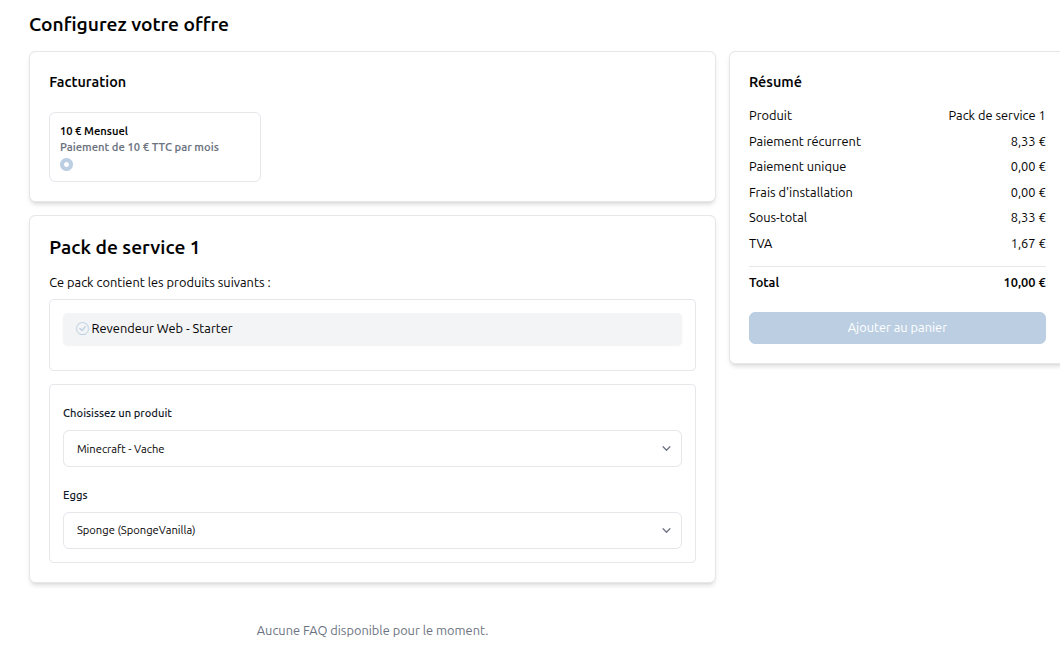
During the order, the customer selects the pack billing period, then configures the included products.
Required products are displayed as included. Customer choice rows display a list of available products, then the options associated with the selected product.
Renewal
The customer only renews the main pack service. During renewal, ClientXCMS automatically renews the other services linked to the pack.
This avoids having several separate invoices or due dates for included products. The pack keeps a single commercial due date, even if it contains several technical services.
Avoid manually renewing an included service separately from the pack, except for a specific support case. The main pack service should remain the billing reference.
Best practices
- Create a clear pack product with a description listing the included services.
- Use Required product for services that must always be provided.
- Use Customer choice only when the customer should actually compare several products.
- Check that included products are active, configured, and orderable before publishing the pack.
- Test a complete order with the same options as your customers before putting the offer into production.