Customer Reviews
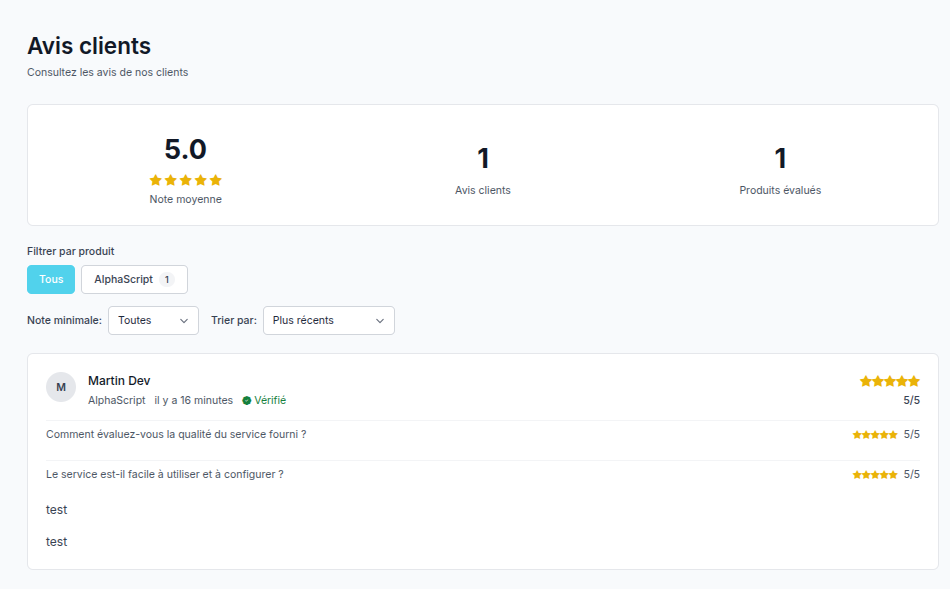
The Customer Reviews extension allows you to collect and display customer reviews on your client area. Customer reviews are essential for building trust with potential buyers and improving your online hosting service's credibility.
Configuration
To configure the Customer Reviews extension, go to:
Admin Panel → Settings → Customer Reviews → Configuration
The Configuration tab is divided into several sections accessible via sub-tabs:
- Collection & Sending
- Moderation
- Rewards
- Display
- Integrations
Collection & Sending
This section manages the automatic sending of review request emails.
-
Immediate email upon delivery Automatically sends a review request email as soon as a service is delivered to the customer.
-
Delay before automatic reminder Number of days after delivery before sending a reminder email if no review has been submitted.
0completely disables the automatic reminder.
Moderation
This section defines the validation and publication rules for reviews.
Moderation Rules
-
Manual validation required All reviews must be manually approved before being published.
-
Enable smart moderation by rating Enables automatic publication of reviews reaching a defined rating threshold. If disabled, all reviews require manual validation.
-
Auto-publication threshold Minimum rating (in stars) required for a review to be automatically published. Example: 4 stars or more.
Trusted Customers
Allows granting automatic publication privileges to loyal customers.
-
Enable trust system Allows certain customers to publish their reviews without manual validation.
-
Minimum required seniority Minimum number of months of loyalty required to be considered a trusted customer.
-
Minimum active services Minimum number of active services required to access trusted customer status.
-
Minimum rating for auto-publication Minimum rating required for a trusted customer's review to be automatically published.
Rewards
This section allows encouraging customers to leave a review through a credit system.
-
Enable rewards Enables automatic credit to the customer account when a review is published.
-
Reward amount Credit amount (in euros) added to the customer account after validation and publication of the review.
-
Remove reward on deletion Removes the granted credit if the review is permanently deleted.
Display
This section controls how reviews are displayed on the public site and product pages.
Widgets on Products
-
Show stars Displays the average rating and number of reviews on product cards.
-
"Top Rated" badge Displays a special badge on the highest-rated products.
-
Minimum "Top Rated" rating Minimum rating required for a product to get the "Top Rated" badge.
-
Minimum reviews for badge Minimum number of published reviews required to display the badge.
Public Display
-
Reviews per page Number of reviews displayed per page in the public area.
-
Show customer name Displays the customer name under each published review.
-
Restrict to delivered services Only customers with an active or delivered service can leave a review.
Integrations
This section allows integrating the review system with external services.
Discord Webhook
-
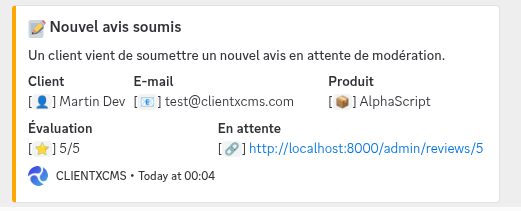
Webhook URL Discord webhook URL used to receive notifications when a review is:
- submitted
- approved
- rejected
Disabled Products
- Products without reviews List of products for which customer reviews are disabled. Customers will not be able to submit reviews on these products.
Reviews
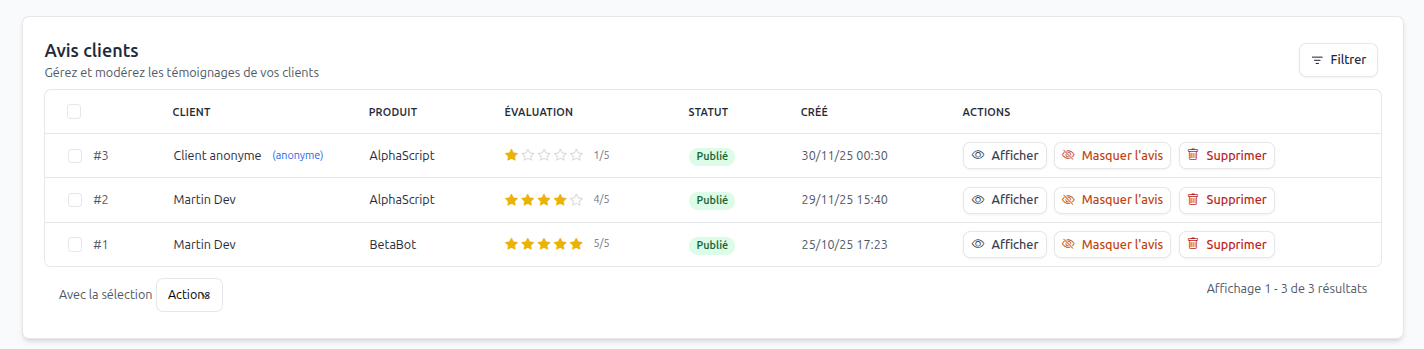 The Reviews tab allows you to manage all customer reviews submitted through the form. You can approve, reject, or delete reviews here.
If the smart moderation option is enabled, reviews reaching the defined rating threshold will be published automatically.
The Reviews tab allows you to manage all customer reviews submitted through the form. You can approve, reject, or delete reviews here.
If the smart moderation option is enabled, reviews reaching the defined rating threshold will be published automatically.
Review Display
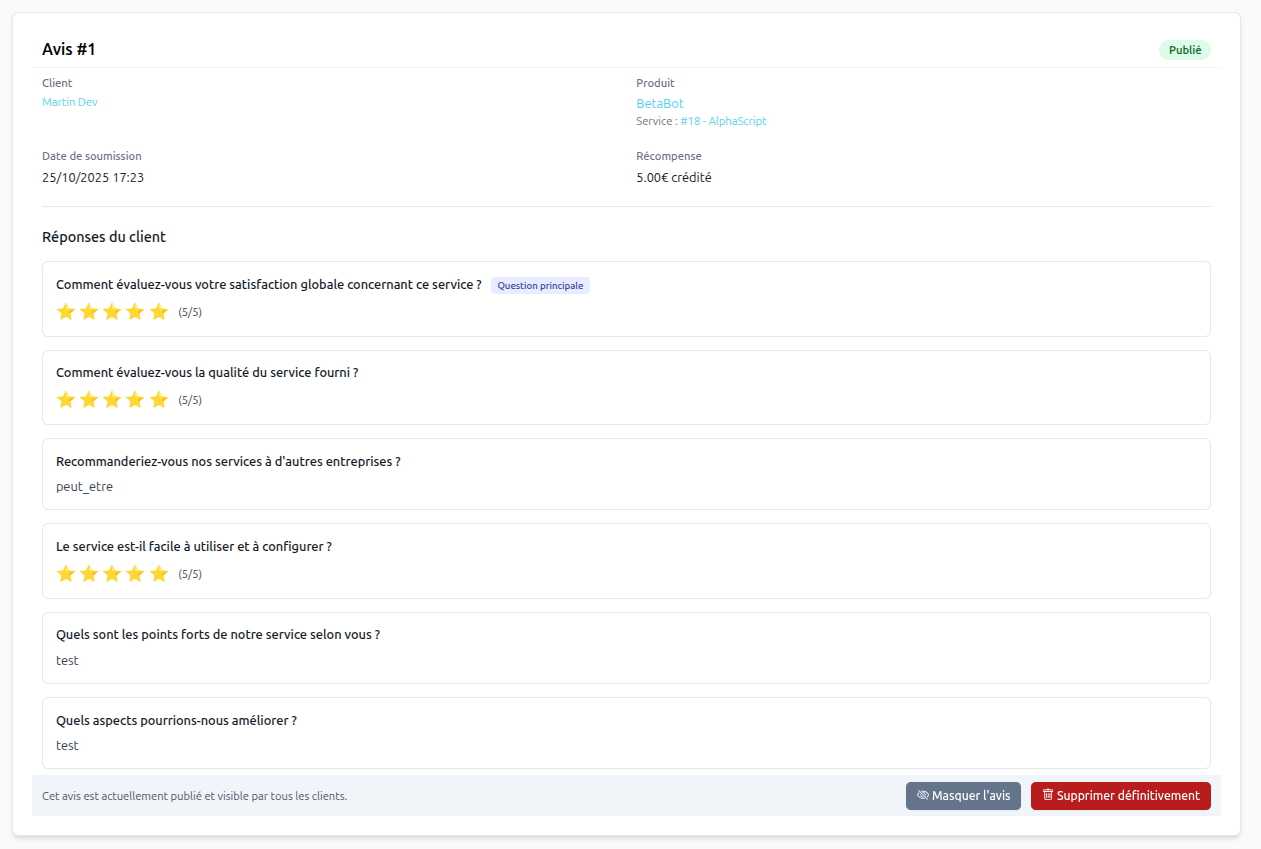 You can click on a review to display its complete details, including answers to custom questions if they have been configured.
Review Actions
- Approve Publishes the review on the public site.
- Reject Marks the review as rejected, it will not be published.
- Delete Permanently deletes the review from the database.
- Hide Hides the review from public display without deleting it. (The customer can still see it in their area, along with the reason for hiding.)
Depending on the configuration, approving a review can also automatically credit the customer account or send a notification via Discord webhook. This will also remove the credit if the review is deleted or hidden.
Question Configuration
To manage the questions asked to customers when submitting a review:
Admin Panel → Settings → Customer Reviews → Questionnaires
-
Unique identifier Unique internal identifier for the question.
-
Question type Type of expected response: star rating, free text, multiple choice, etc.
-
Display order Position of the question in the form.
-
Question Text displayed to the customer.
-
Optional question Defines whether the question is required or not.
-
Main question Highlights the question in the form.
-
Global question Applies the question to all products.
Question Configuration
To configure review questions, go to Admin Panel > Settings > Customer Reviews > Questionnaires. You can add, edit, or delete questions that your customers will need to answer when submitting their review.
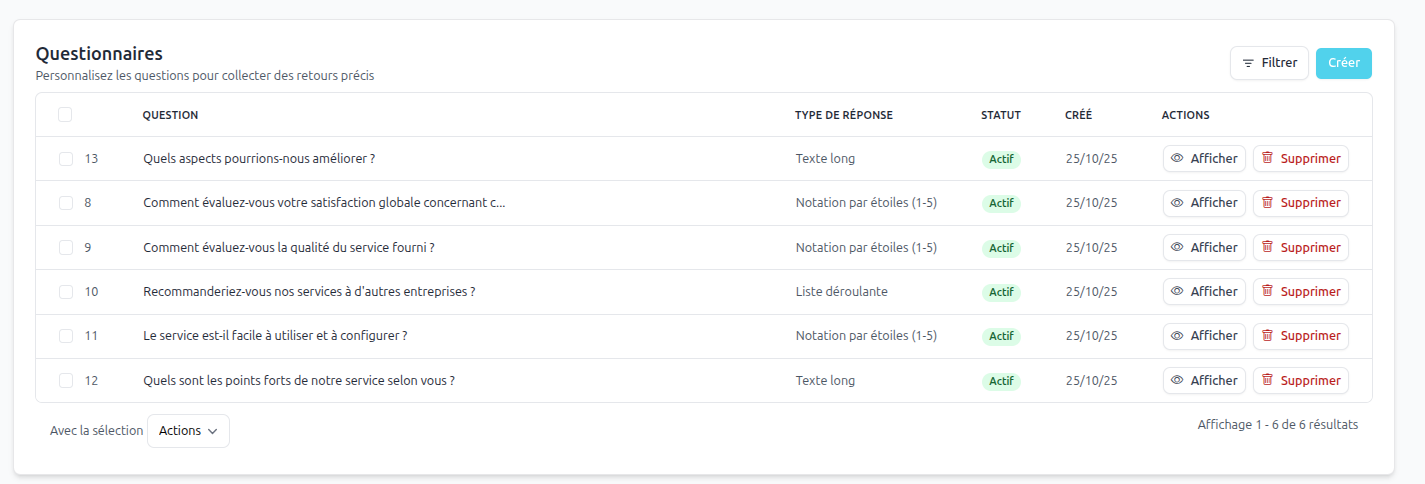
Creating a Question
To create a new question, click the Create button. You can define the question type (text, star rating, multiple choice, etc.) and associated options.
Unique identifier: Each question must have a unique identifier to facilitate response management.
Question type: Choose the question type based on the information you want to collect (Rating, free text, multiple choice, etc.).
Display order: Define the order in which questions will appear in the review form.
Question: Enter the question text that will be displayed to customers.
Optional question: Check this option if the question is not required.
Main question: Check this option if the question should be highlighted in the form.
Global questions: Check this option if the question should apply to all products.
Products: Select the specific products to which the question applies if it is not global.
Question options: For multiple choice questions, add the different options that customers can select.
Associated products: Displays the products related to this question.
Editing a Question
To edit an existing question, click the edit icon next to the question in the list. Make the necessary changes and save.
Product Display
The extension allows displaying customer reviews directly on your store's product pages. This shows the average rating and number of reviews.

Theme Support
To support customer reviews display on products, your theme must include the following hooks in the product template file:
@includeWhen(app('extension')->extensionIsEnabled('customers_reviews'), 'customers_reviews::partials.product_widgets', ['product' => $product])
Inviting Customers to Leave a Review
To invite your customers to leave a review, you can use the automatic review request email sending feature. This feature is available in Settings > Customer Reviews > Invite customers to leave a review.
You can select the services to which to send a review request to receive your first customer feedback from registered customers.
Review Statistics
You can view customer review statistics in Admin Panel > Customer Reviews > Customer Statistics. You will find the best products, products to improve, as well as global statistics on reviews received.