Base de connaissances
L'addon Base de connaissances vous permet de créer une bibliothèque d'articles d'aide pour vos clients. Il facilite l'auto-assistance en organisant vos ressources par thématiques et en proposant un moteur de recherche performant.
Pour utiliser ces fonctionnalités, l'addon Base de connaissances doit être activé sur votre CLIENTXCMS.
Gestion de la base de connaissances
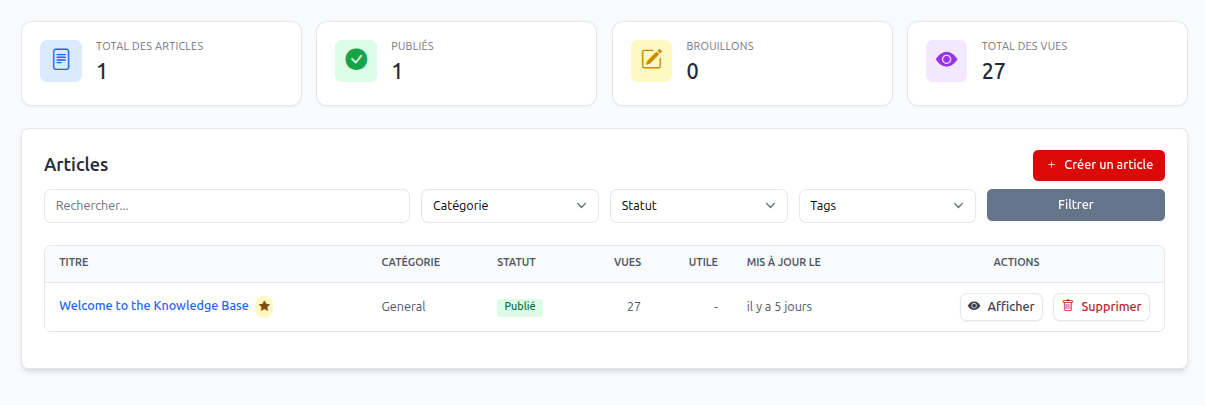
Toute la gestion se déroule dans la section Paramètres > Base de connaissance. Vous y trouverez deux onglets principaux :
- Articles : Pour rédiger et organiser vos contenus.
- Catégories : Pour structurer votre aide par thématiques (ex: Facturation, Services, Général).
Création d'un article
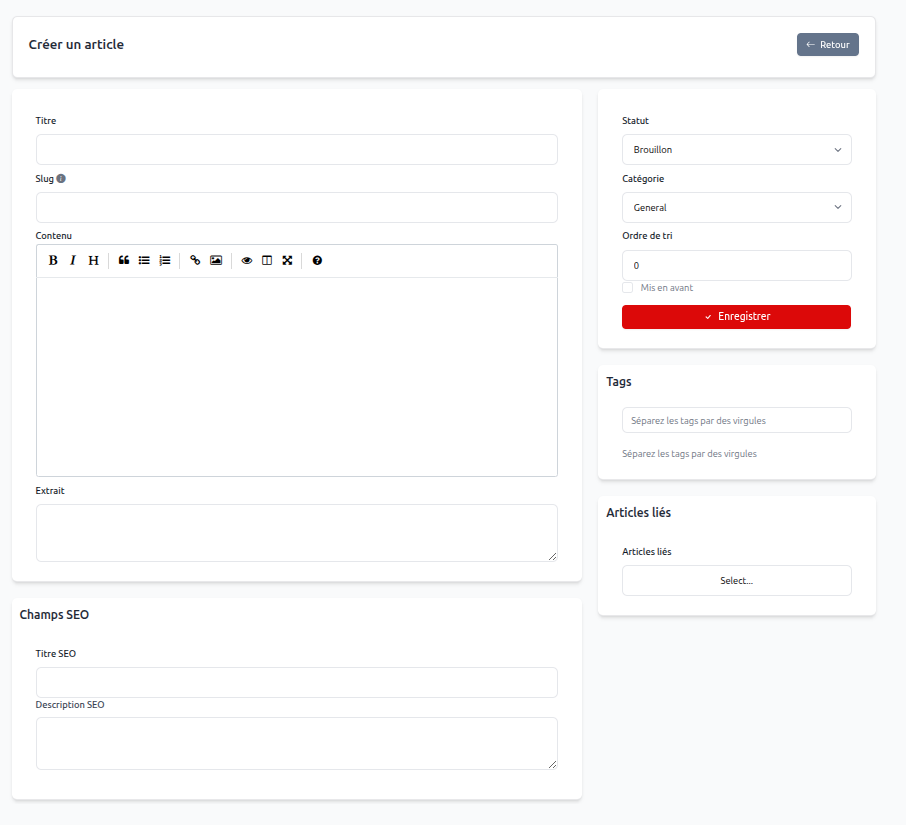
Lors de la création ou de l'édition d'un article (Paramètres > Base de connaissance > Articles > Créer un article), les champs suivants sont disponibles :
- Titre : Le titre de l'article tel qu'il apparaîtra pour vos clients.
- Slug : L'identifiant dans l'URL (généré automatiquement à partir du titre).
- Contenu : Un éditeur de texte riche (WYSIWYG) pour rédiger votre article, incluant des images, des liens et du formatage.
- Extrait : Un court résumé utilisé dans les listes d'articles.
- Statut : Permet de définir si l'article est un Brouillon ou s'il est Publié.
- Catégorie : La thématique à laquelle l'article est rattaché.
- Ordre de tri : Définit la position de l'article dans les listes (le plus petit nombre en premier).
- Mis en avant : Une case à cocher pour afficher l'article en priorité sur la page d'accueil du centre d'aide.
- Tags : Mots-clés pour améliorer la recherche.
- Articles liés : Permet de suggérer d'autres articles à la fin de la lecture.
Optimisation SEO
Chaque article dispose d'une section Champs SEO pour améliorer son référencement sur les moteurs de recherche :
- Titre SEO : Le titre de la page pour les navigateurs.
- Description SEO : La meta-description pour les résultats de recherche.
Expérience utilisateur (Espace Client)
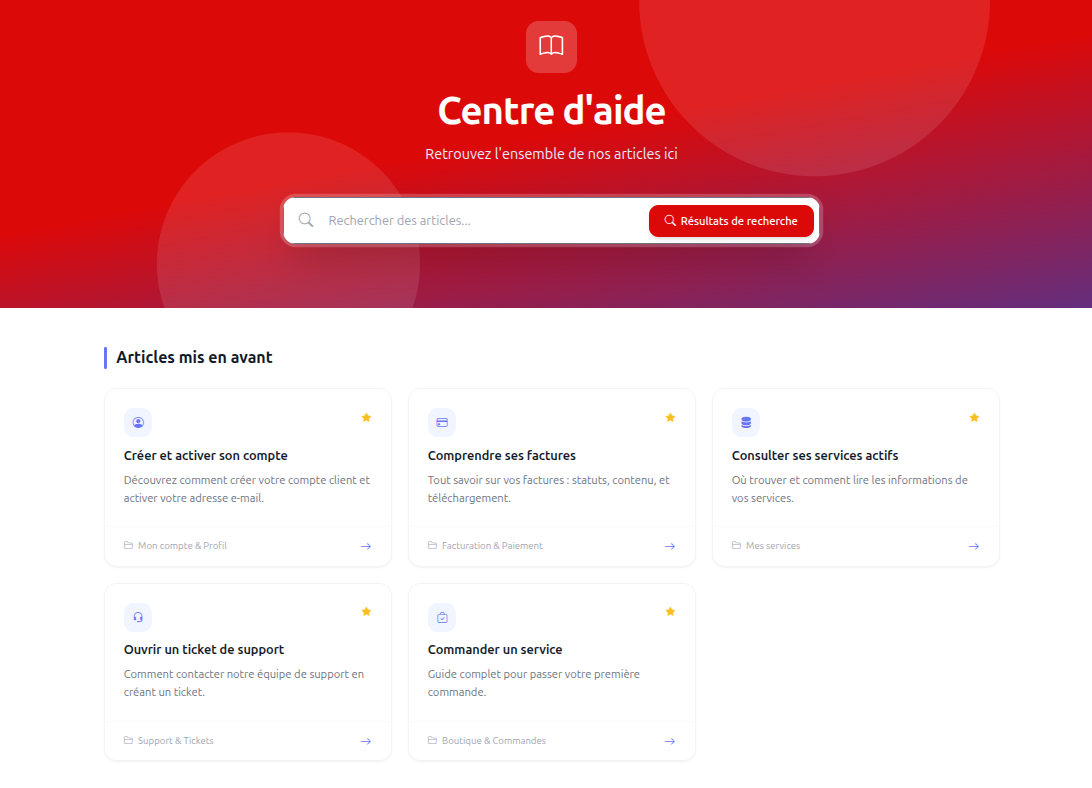
Le centre d'aide est accessible directement depuis l'espace client. Il propose une interface moderne et intuitive :
- Moteur de recherche : Permet aux clients de trouver rapidement une réponse en tapant des mots-clés.
- Articles mis en avant : Affiche les guides les plus importants dès l'accueil.
- Navigation par catégorie : Permet d'explorer les thématiques pour trouver de l'aide.
- Utilité de l'article : Les clients peuvent indiquer si un article les a aidés, ce qui vous permet de mesurer la qualité de votre documentation.
Articles par défaut
À l'installation, des articles par défaut sont proposés pour guider vos clients sur l'utilisation de base de leur espace client (Facturation, Support, Services).
Fonctionnalités avancées
Traduction des articles
Vous avez la possibilité de traduire vos articles dans toutes les langues supportées par votre plateforme via l'Outil de traduction intégré à CLIENTXCMS. Cela permet d'offrir une aide personnalisée à votre clientèle internationale.
Statistiques et KPI
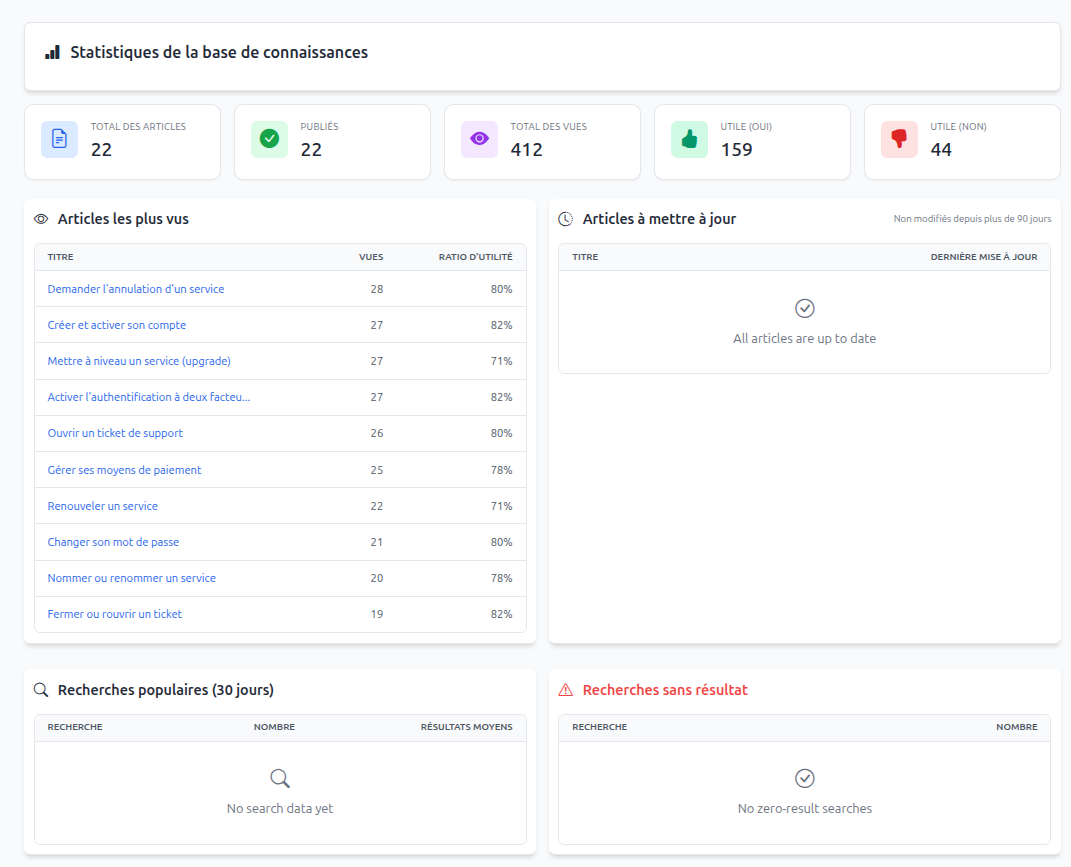
Une page de statistiques dédiée vous permet de suivre l'efficacité de votre base de connaissances :
- Nombre total de vues : Pour identifier les sujets les plus consultés.
- Taux d'utilité : Pour savoir quels articles doivent être améliorés.
- Articles les plus performants.