Comment vous nous avez trouvé
L'extension Comment vous nous avez trouvé (How Did You Find Us) est un outil essentiel pour comprendre l'origine de votre clientèle et optimiser vos canaux de marketing. Elle permet de recueillir des données précieuses lors de l'inscription des clients et de les analyser via un tableau de bord complet.
Pour utiliser ces fonctionnalités, l'addon How did you find us doit être activé sur votre CLIENTXCMS.
Côté Client
Une fois l'extension activée, un nouveau champ apparaît lors du formulaire d'inscription. Vos nouveaux clients peuvent ainsi indiquer comment ils ont découvert vos services (par exemple : Google, Réseaux Sociaux, Bouche à oreille, etc.).
Ces informations sont ensuite rattachées au profil du client pour une analyse ultérieure.
Configuration Admin
La gestion de l'extension se fait dans Paramètres > Paramètres des extensions > Comment vous nous avez trouvé.
Gestion des sources (CRUD)
Vous pouvez configurer la liste des choix proposés aux clients lors de l'inscription. L'interface permet une gestion classique :
- Ajouter une source : Définissez un nouveau canal (ex: "Publicité YouTube").
- Modifier une source : Changez le nom d'une origine existante.
- Supprimer une source : Retirez un choix de la liste.
Ces sources apparaîtront dans le menu déroulant lors de l'inscription.
Analyse des origines
Le véritable point fort de cette extension réside dans son outil d'analyse, accessible via le bouton "Analyse des origines" dans la configuration de l'addon.
Répartition par source
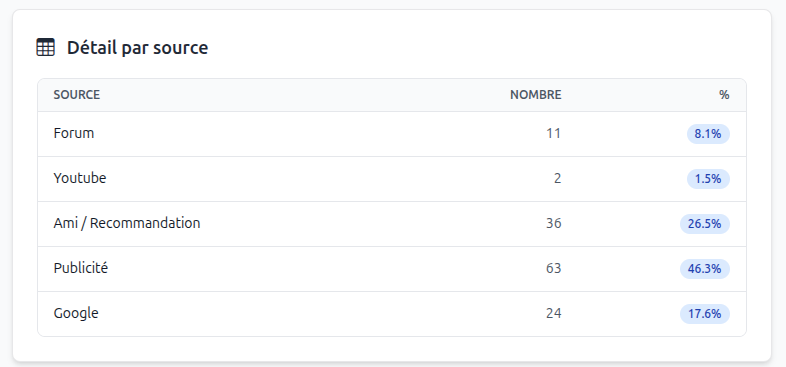
Un tableau détaillé affiche le nombre de clients par source ainsi que leur pourcentage par rapport au total. Cela permet d'identifier immédiatement quel canal est le plus efficace.
Carte des clients
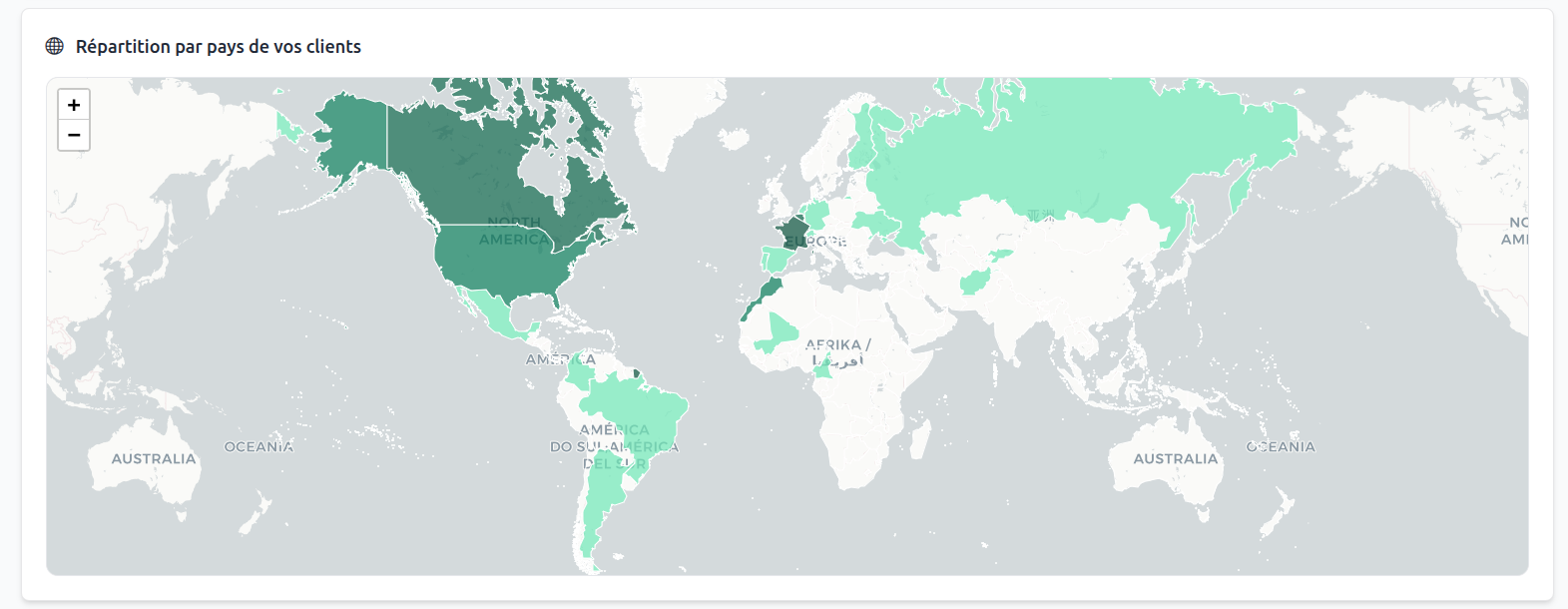
Une carte interactive affiche la répartition géographique de vos clients par pays. Les zones sont colorées en fonction de la densité de clients, vous permettant de visualiser vos marchés les plus porteurs.
Graphiques d'activité
L'outil propose également des graphiques pour suivre l'évolution de votre croissance :
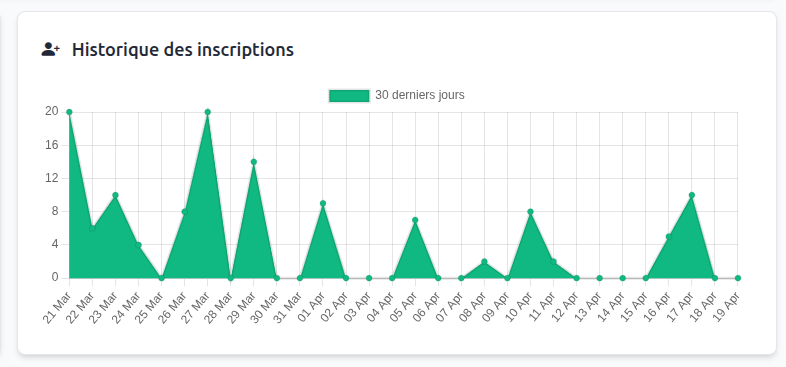
- Historique des inscriptions : Visualisez le nombre de nouveaux clients sur les 30 derniers jours.
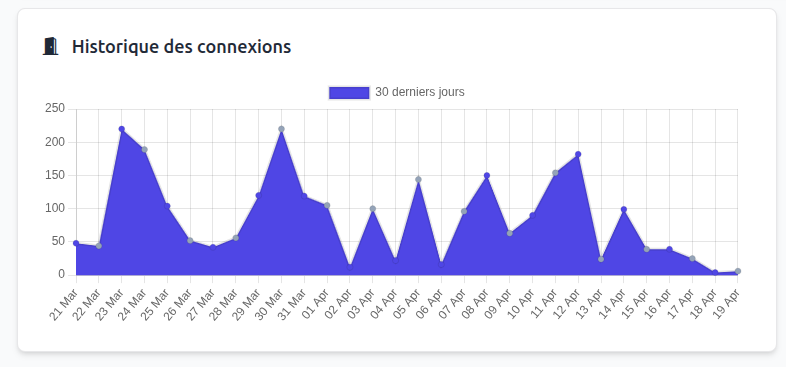
- Historique des connexions : Suivez l'activité de vos clients et leur assiduité sur l'espace client.