Billing
In CLIENTXCMS, billing configuration is the pillar of your commercial activity.
The goal is essential: master all financial aspects of your store to ensure perfect legal compliance and optimal revenue management. A well-thought-out billing configuration simplifies accounting, improves customer relationships, and protects you legally.
Billing automatically manages all financial aspects: invoice generation, tax calculation, currency management, and regulatory compliance.
You can manage billing from:
Settings > Billing > Billing
Well-configured billing is the foundation of trust with your clients and your legal compliance. Take the time to properly configure each option according to your legal and commercial context.
Why Properly Configure Billing?
Automated billing is crucial for:
- Meeting legal obligations regarding VAT and invoicing
- Automating generation of invoices and accounting management
- Improving customer experience with clear and professional invoices
- Simplifying your accounting and facilitating tax declarations
It's like having a built-in accountant working 24/7 📊 — precise, reliable, and always compliant with regulations.
Basic Configuration
Primary Currency
Currency | (dropdown menu)
The primary currency of your store, used by default for all prices and invoices.
Choose from a list of international currencies (EUR, USD, GBP, etc.).
You can define specific currencies per product later for an international store.
Business Address
Client area address | (text area)
Your company's legal address that will appear on all invoices.
This information is mandatory for legal compliance.
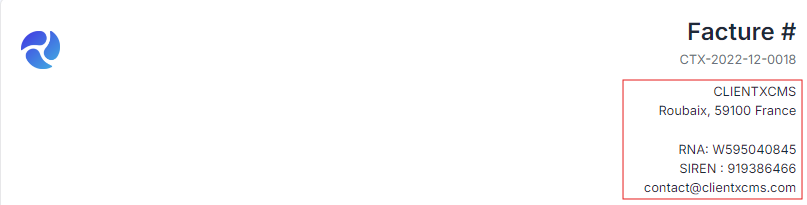
Include:
- Company name
- Full address
- Postal code and city
- Country
- SIRET/VAT number if applicable
Invoice Settings
Terms and conditions URL
Public link to your terms and conditions of sale.
Invoice terms and conditions
Text displayed on generated invoices, such as payment terms or the deposit required before service delivery.
Billing mode
Selects the type of commercial document generated by default.
Invoice prefix
Prefix placed before invoice numbers, for example CTX.
Allow adding customer balance to invoices
Allows available customer credit to be used to pay an invoice.
Require customer confirmation before ordering
Requires the customer to be confirmed before an order can be submitted.
Pending invoice action after (days)
Defines the automated action applied to invoices that remain pending. Use 0 to disable this delay.
Seller Tax Identity
Complete this section before enabling Factur-X or an electronic-invoicing provider:
- Legal name: registered name of the seller;
- SIREN: nine-digit identifier of the French legal entity;
- SIRET: optional fourteen-digit identifier of the seller's establishment;
- VAT number: optional intra-community VAT number;
- Usual nature of operations: for example, supply of services;
- VAT due on debits: enable it only if this tax treatment applies to your business;
- Seller street, address supplement, postal code, city, and country.
These values are embedded in electronic invoices. Make sure they match your official company registration and tax records.
Factur-X and E-reporting
This section controls electronic-document generation and transmission.
Enable for new documents
Activates Factur-X and e-reporting for documents created after activation. Test the selected connectors before enabling it.
Active provider
Selects the main provider used for electronic invoices:
LOCAL: generate and retain the document in ClientXCMS without sending it to an external provider;QONTO: transmit through the Qonto e-invoicing addon;PENNYLANE: transmit through the Pennylane addon.
Only select Qonto or Pennylane after configuring and testing the corresponding connector under Settings > Billing.
Public-sector provider
Selects how invoices intended for French public entities are handled:
LOCAL: keep public-sector documents local;CHORUS-PRO: transmit them through the Chorus Pro addon.
VAT regime
Select the tax-reporting regime that applies to the seller.
Tax timezone
Timezone used to determine regulatory dates and reporting periods, for example Europe/Paris.
Activation date
Optional date from which the electronic-invoicing configuration becomes effective.
Changing a provider does not automatically configure its API credentials. Configure and test the addon first, then select it here.
Tax Configuration
Tax Mode
CLIENTXCMS offers two price management modes:
Exclusive | Tax-exclusive mode
Prices displayed in the store do not include VAT.
Tax is added during final cart calculation.
Inclusive | Tax-inclusive mode
Displayed prices already include VAT.
The displayed price is the final price paid by the customer.
Inclusive mode is generally preferred for B2C as it avoids surprises for customers, while exclusive mode is common in B2B.
VAT Management
Enable VAT | (switch)
Enables or disables VAT management on your store.
Webhook URL: URL of your endpoint to receive payment notifications (POST JSON). Use an HTTPS URL if possible.
- If the provided URL is a Discord webhook (e.g., https://discord.com/api/webhooks/xxxxx), notifications will automatically appear as embeds (screenshot above).
- If you use a custom webhook, CLIENTXCMS will send an HTTP POST request with a structured JSON payload. Example:
- Order paid
{
    "payload": {
        "action": "checkout_completed",
        "_url": "https://example.com/admin/invoices/42",
        "invoiceurl": "https://example.com/admin/invoices/42",
        "customer_url": "https://example.com/admin/customers/1",
        "customername": "Martin Dev",
        "customeremail": "test@clientxcms.com",
        "basketid": "BASK-123",
        "total": "199.99",
        "currency": "€",
        "gatewayname": "Stripe",
        "productnames": "VPS Pro, Advanced Backup"
    }
}
Useful notes:
action: identifies the event sent (checkout_completed,service_upgraded, etc.)._url,invoiceurlorservice_url: internal links to the relevant invoice or service.- Values are sent as strings. Adapt conversion (amount, currency...) according to your integration.
Default VAT rate | (percentage)
The rate applied by default if no specific rate is defined.
Minimum days to force renewal with an upgrade: This forces service renewal with an upgrade if the remaining days are less than this number of days.