Client Area Customization
You can customize the appearance of your client area by changing the settings.
Logo Configuration
You can change the name of your client area as well as the logo that appears on the client area. To do this, go to Settings then General Settings then Global Settings.
More information on logo configuration is available here.
For self-hosted licenses, make sure you have set the correct permissions on the storage and public folders so that images are saved properly.
Homepage
You can change the welcome text of your client area by editing the homepage content. To do this, go to Settings then Customization then Homepage.
You can modify the title and subtitle of the homepage as well as the homepage image.
Menu Configuration
Top Navigation Menu
You can modify the top navigation menu items by going to Settings then Customization then Top Navigation Menu.
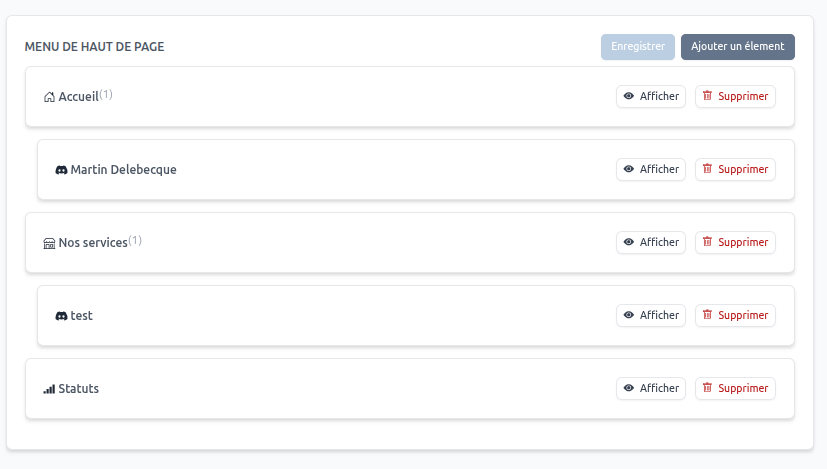
Here, you can add, edit, or delete items from the top navigation menu.
You can also choose whether to display the logo in the top navigation menu, or select the allowed themes for the client area.
More information on menu configuration is available here.
Footer Menu
You can modify the footer menu items by going to Settings then Customization then Footer Menu.
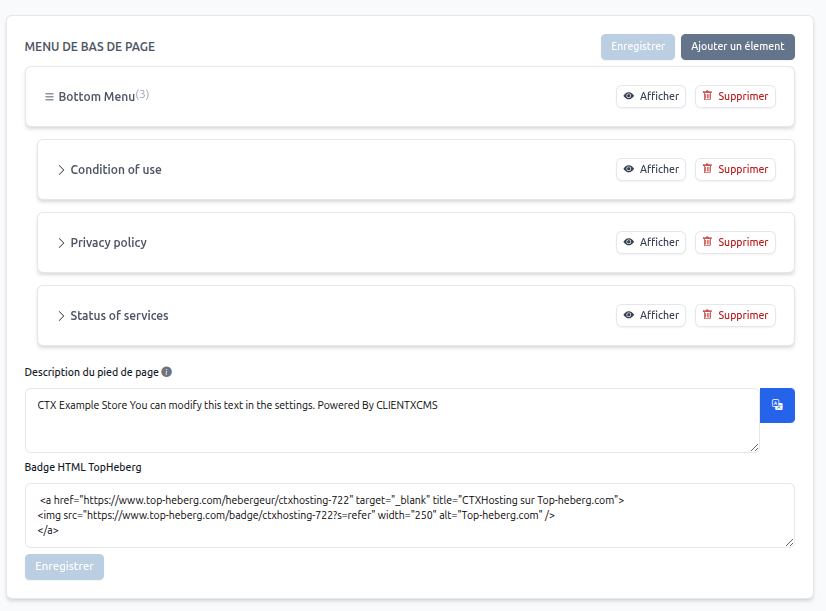
Here, you can add, edit, or delete items from the footer menu.
You can also modify the footer text and add your TopHeberg badge. You can also add links to your social networks. More information on menu configuration is available here.
Email Configuration
To send emails to your customers, you can configure your email settings. This speeds up email delivery. To do this, go to Settings then General Settings then Email Settings.
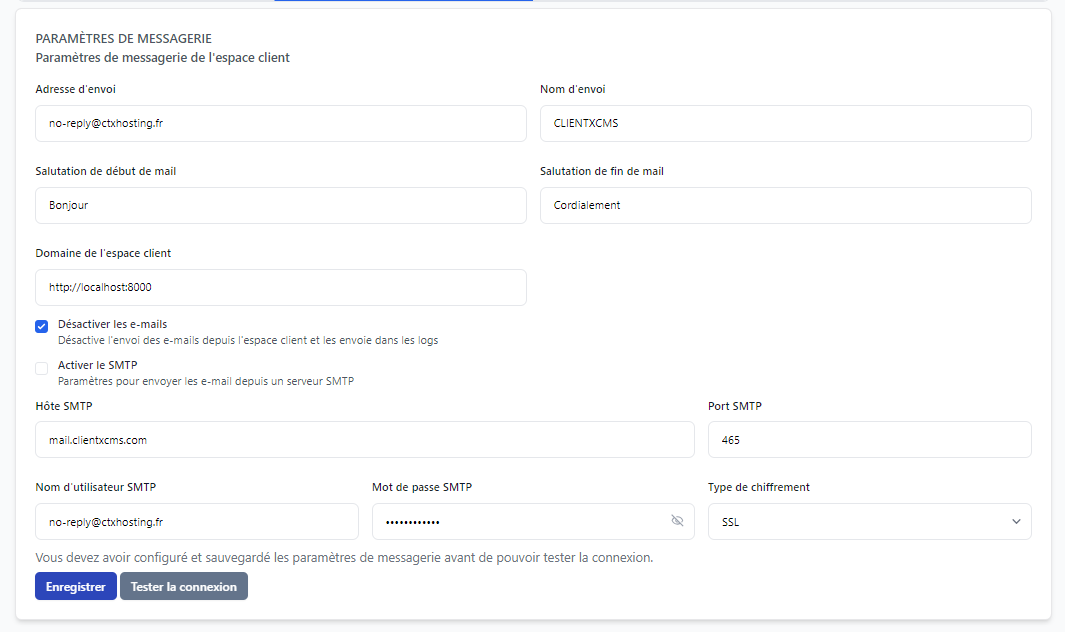
You can configure the sender address, sender name, greeting and sign-off, client area domain, etc.
It is important to change the client area domain with your own domain so that links in emails are correct.
More information on email configuration is available here.
Other Customizations
You can modify the SEO of your client area by changing the SEO settings. To do this, go to Settings then Customization then SEO.
More information on SEO configuration is available here.