Creating Your First Product
Once you have configured your first server, you can create your first product group. To do this, go to Settings then Store then Groups and Create.
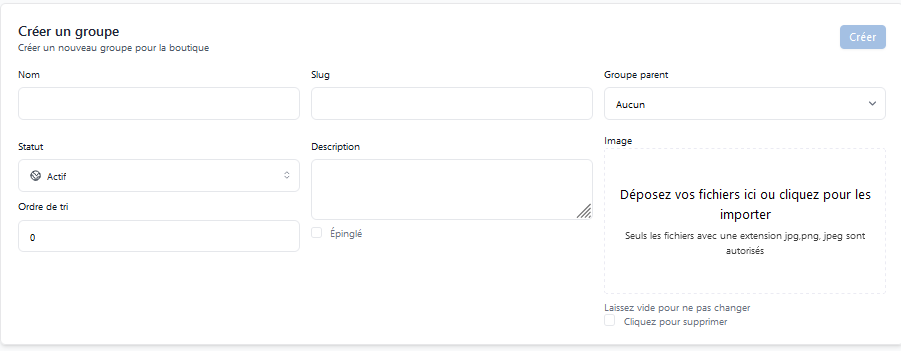
Once you have created your product group, you can add products to this group. To do this, go to Settings then Store then Products and Create.
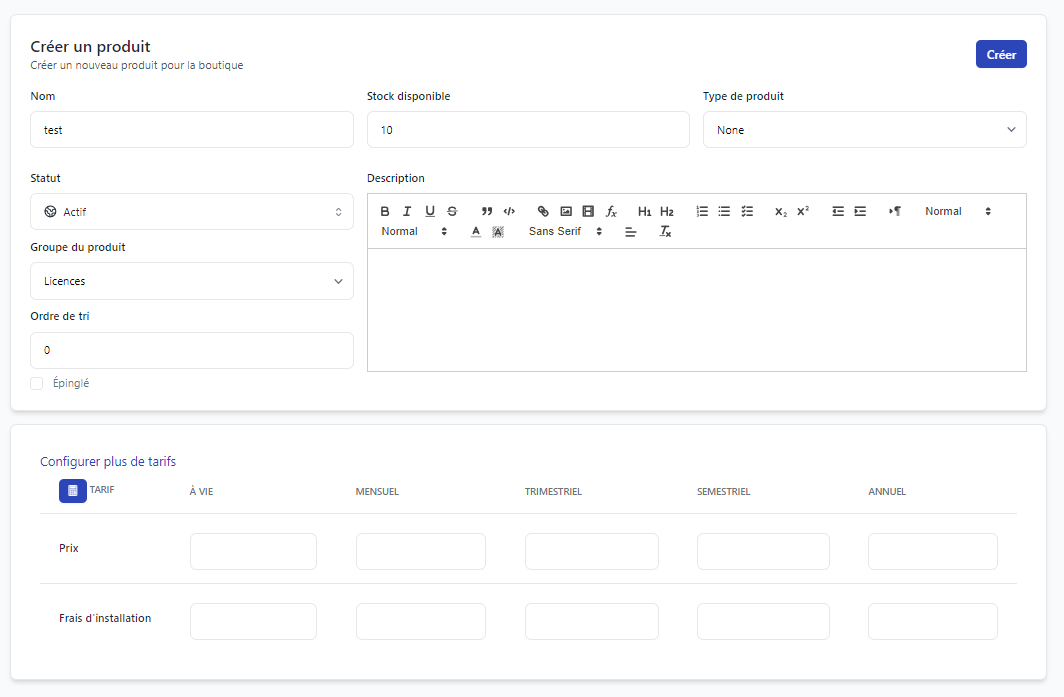
On this page, you can configure your product according to your needs by filling in the required fields, as well as selecting the product type you want to create (the same as the server type you configured).
You can also add the product price, add installation fees, or add a product description.
Your product is now created and available for sale on your online store.