ClientXCMS 2.16: Security, Privacy and sub users Management

ClientXCMS 2.16 is one of our most important updates yet. At the heart of this release are delegated account access with sub-users and a complete credit-note workflow, alongside a redesigned profile, stronger security, and new privacy tools.
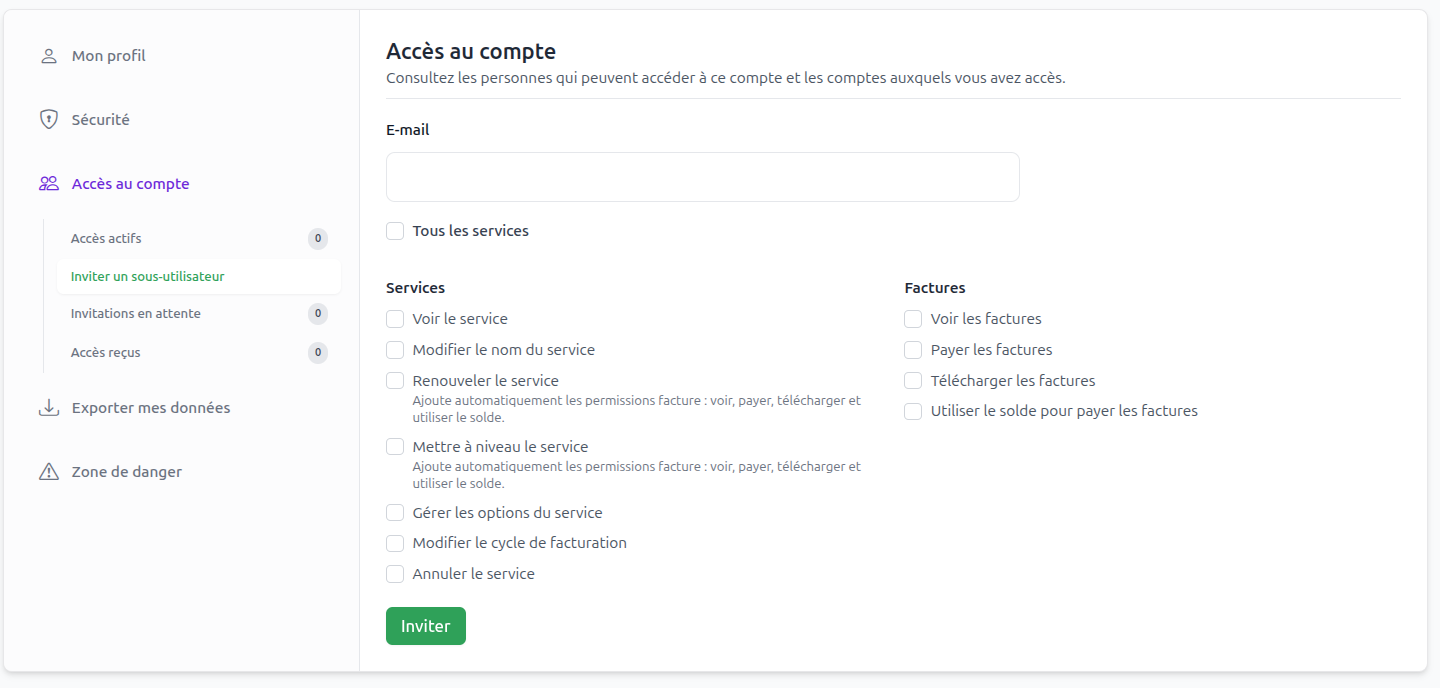
Sub-Users: Invite People and Delegate Access
Customers can now invite another person from their profile. The recipient receives the invitation by email and can accept it to access the account.
Fine-grained permissions determine exactly what each sub-user can do. For example, they can be allowed to access selected services or pay invoices without receiving unrestricted access to the main account.
This major feature is ideal for teams, companies, and customers who need to safely share operational or billing responsibilities.
Credit Notes: Clearer Refund and Balance Management
Version 2.16 introduces credit notes, another major feature for billing teams. Administrators can create a credit note for a customer, properly record a refund, and credit the corresponding amount to the customer's balance.
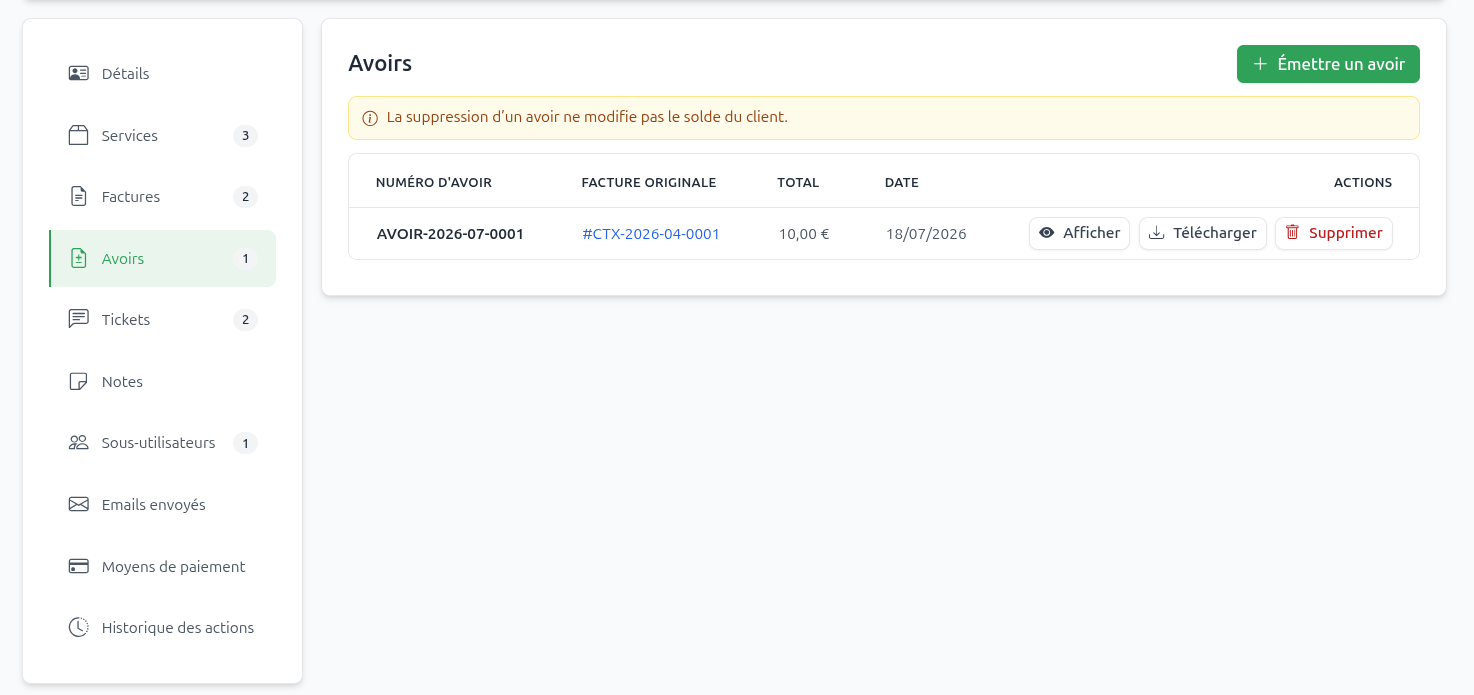
This provides a clearer audit trail and a much cleaner workflow than applying manual balance adjustments.
A Completely Redesigned Profile
The profile has been reorganized into clear tabs so that personal information, security settings, delegated users, and privacy tools are easier to find. Customers, administrators, and staff members can also add a profile avatar.
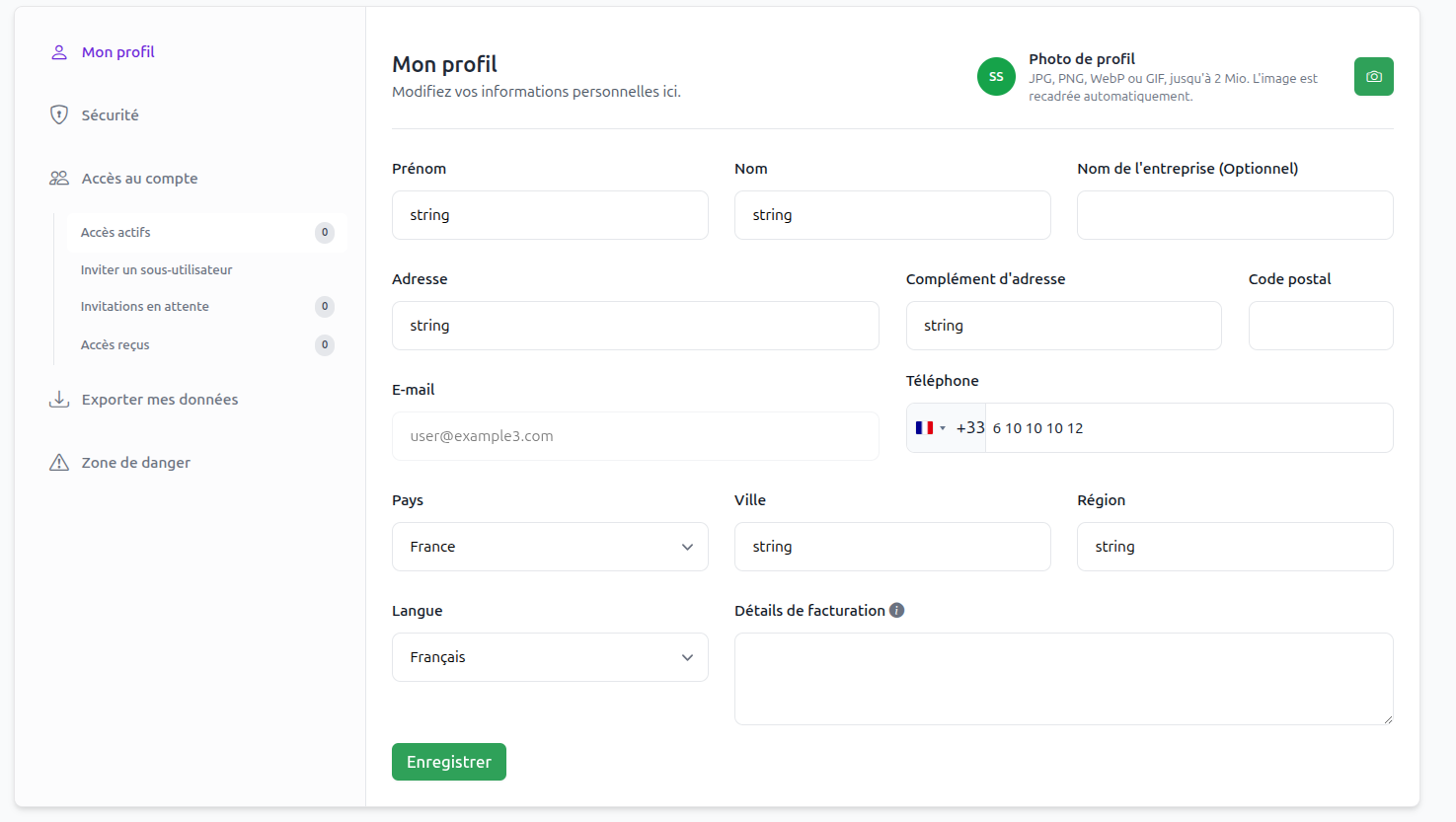
This redesign is more than a visual refresh: it creates a clearer foundation for all the new account-management features introduced in 2.16.
Stronger Security for Every Account
When enabled by the administrator, users can protect their account with two-factor authentication by email or SMS. ClientXCMS supports OVH SMS and Twilio as SMS providers.
Trusted devices make strong authentication less intrusive: a recognized device can be remembered and managed directly from the security area. Security questions can now be translated too, so each user receives consistent protection in their own language.
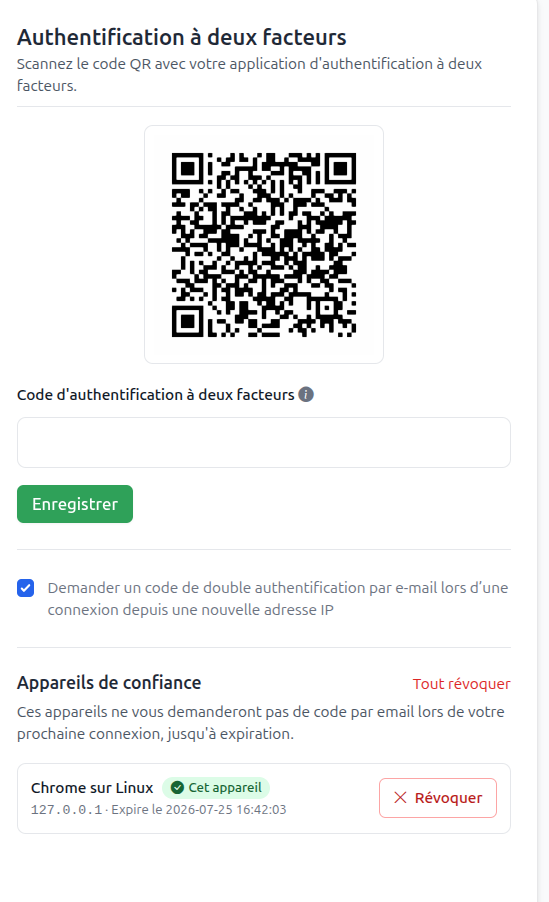
All these protections are also available for administrator and staff accounts, where access to sensitive information makes account security especially important.
GDPR-Friendly by Design
Respecting privacy regulations is a priority for us. ClientXCMS now gives every user the ability to:
- export their personal data;
- delete their account;
- review the information associated with their profile.
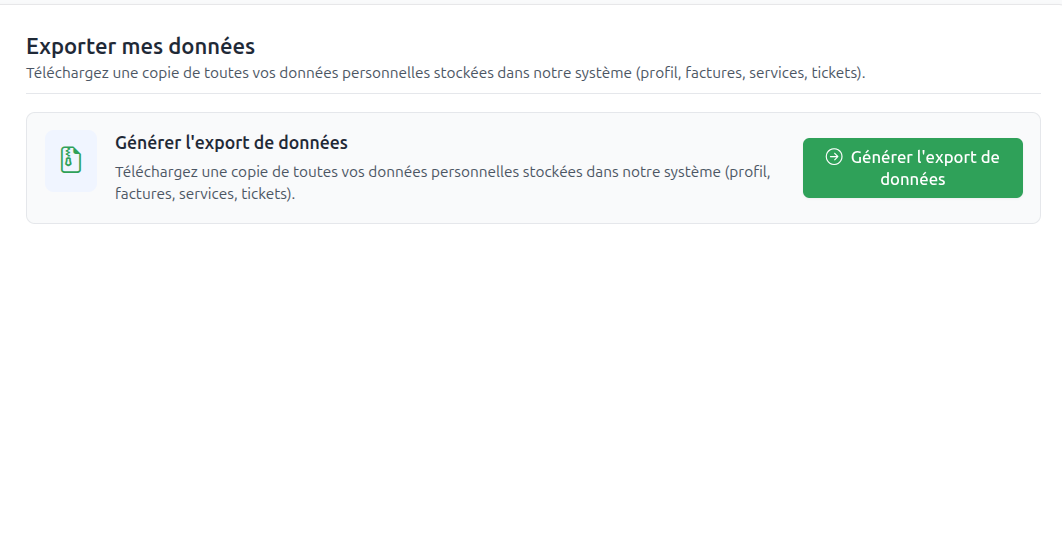
Administrators can also automatically delete accounts that have been inactive for three years by default. The retention period is configurable from Administration panel > Settings > Security settings, allowing each organization to adapt the policy to its legal obligations.
These tools make ClientXCMS fully GDPR-friendly and help administrators apply a clear data-retention policy.
Find Invoices and Records Faster
Invoice lists can now be filtered by payment date and due date. The same date-filtering approach is available for customer registration, service creation, tickets, and other records.
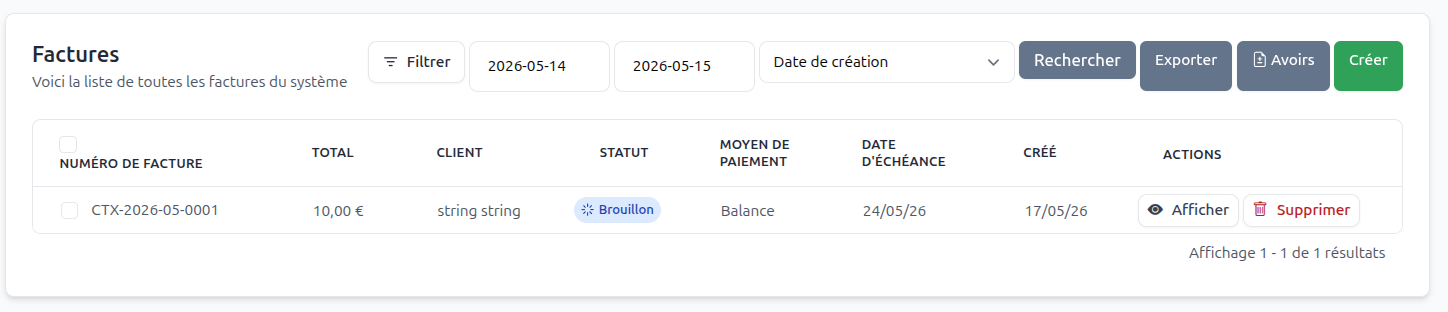
Whether you are looking for an invoice from a specific accounting period or reviewing customers created during a campaign, the relevant records are now only a few clicks away.
Control Which Countries Appear During Registration
Administrators can choose which countries are available in the registration form from the language settings. This keeps the list relevant to the markets you serve and simplifies registration for customers.
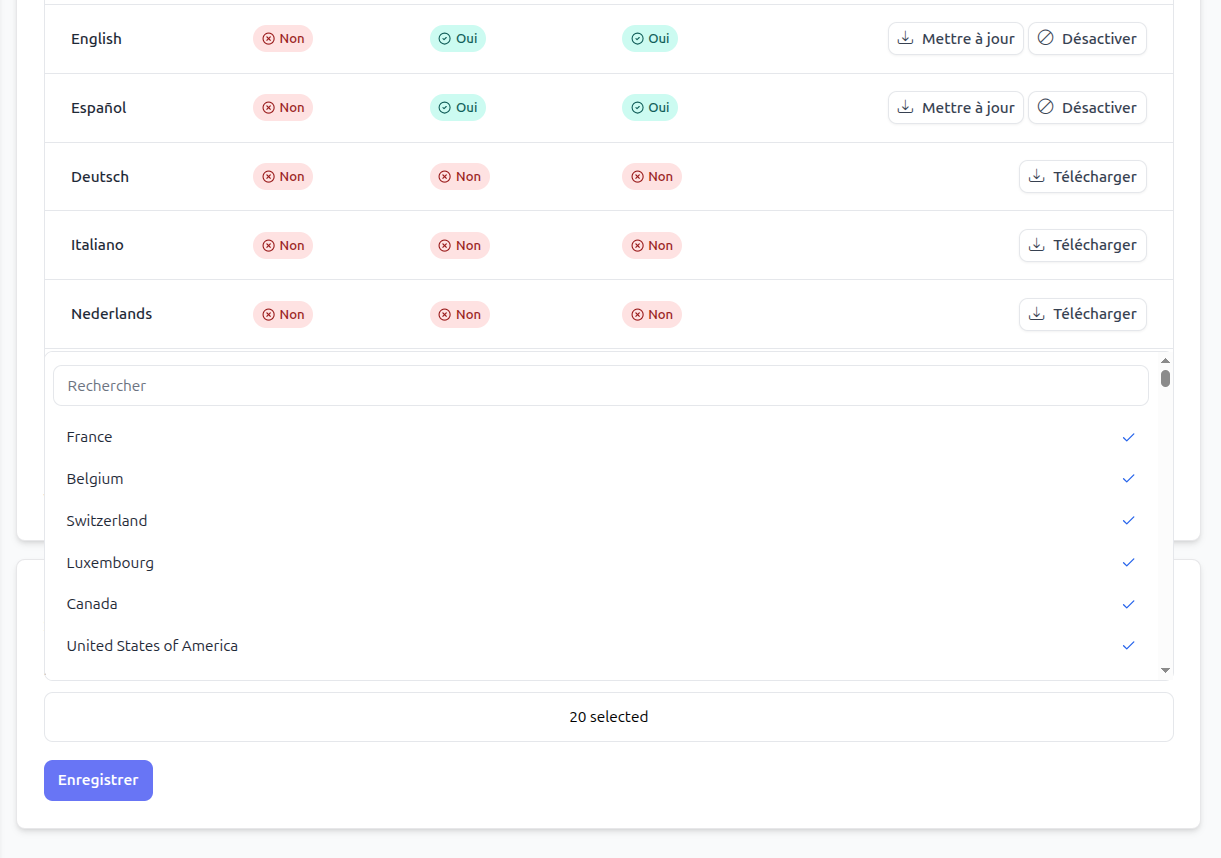
The default allowlist contains: France, Belgium, Switzerland, Luxembourg, Canada, United States, United Kingdom, Germany, Spain, Italy, Portugal, Netherlands, Ireland, Austria, Morocco, Algeria, Tunisia, Senegal, Ivory Coast, and Cameroon.
Automatically Apply a Coupon from Your Website
A coupon can now be passed in the product configuration URL:
https://your-client-area.example/store/basket/config/2?coupon=NEWGEN
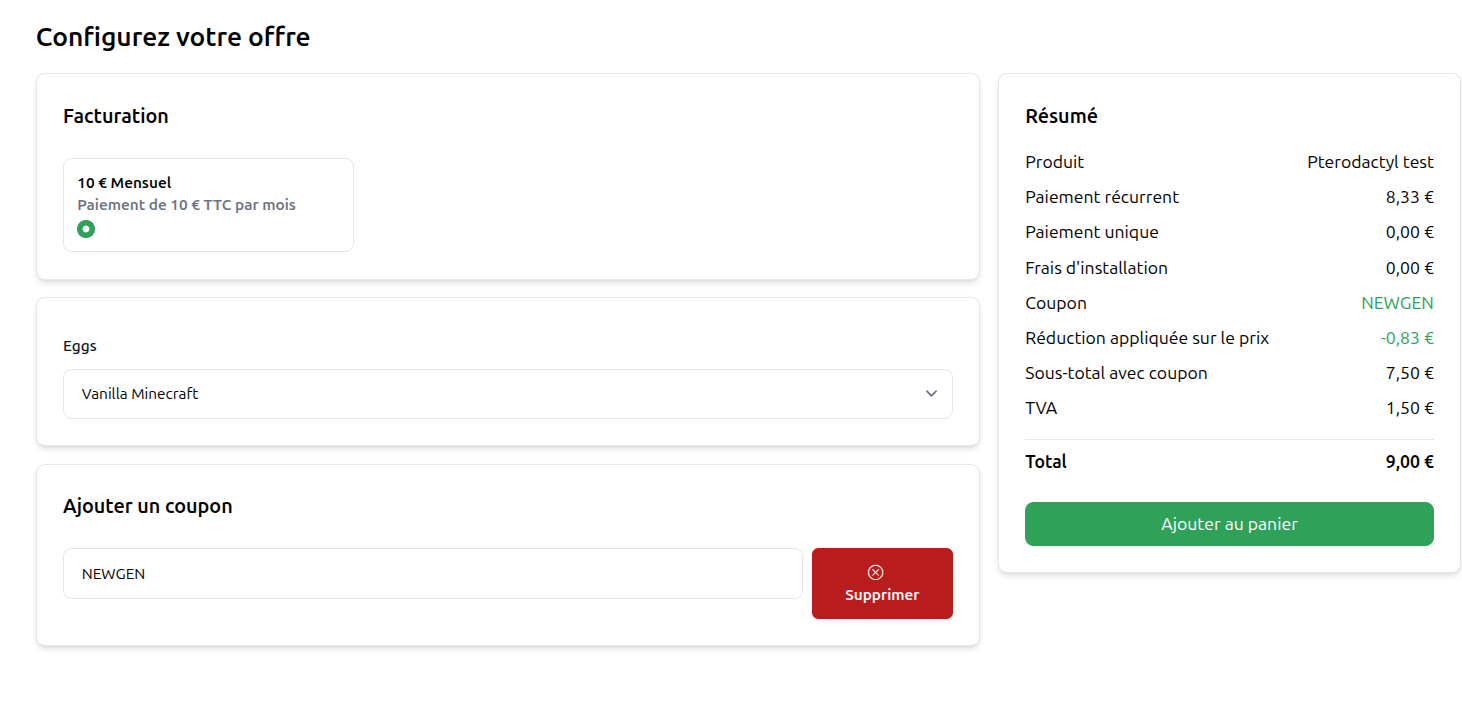
The code is automatically applied during product configuration. This is especially useful for linking a promotional campaign or a showcase website directly to a ready-to-order offer.
Flexible Service Cancellation Rules
Each cancellation reason can now trigger one of three workflows:
- cancel the service immediately;
- cancel it when the current service period expires;
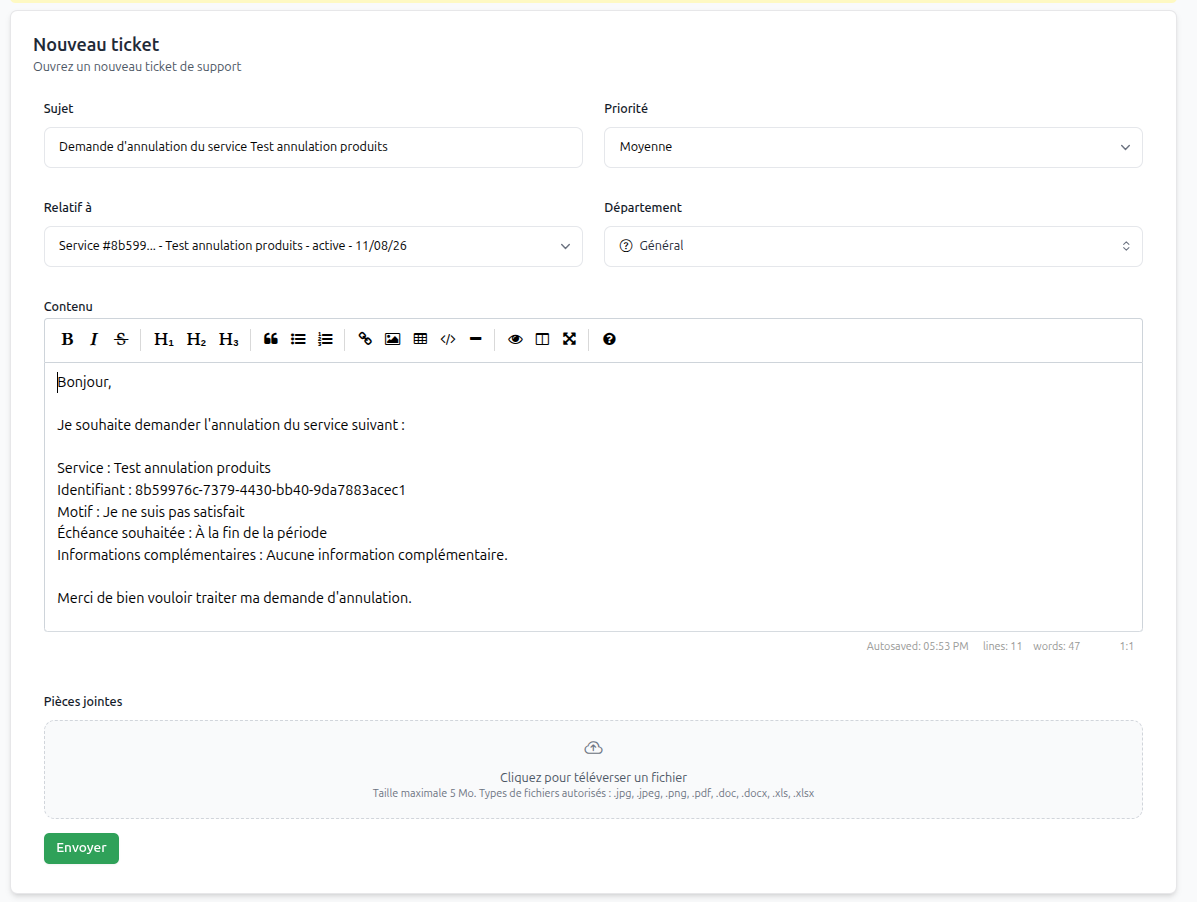
- redirect the customer to ticket creation for manual processing.
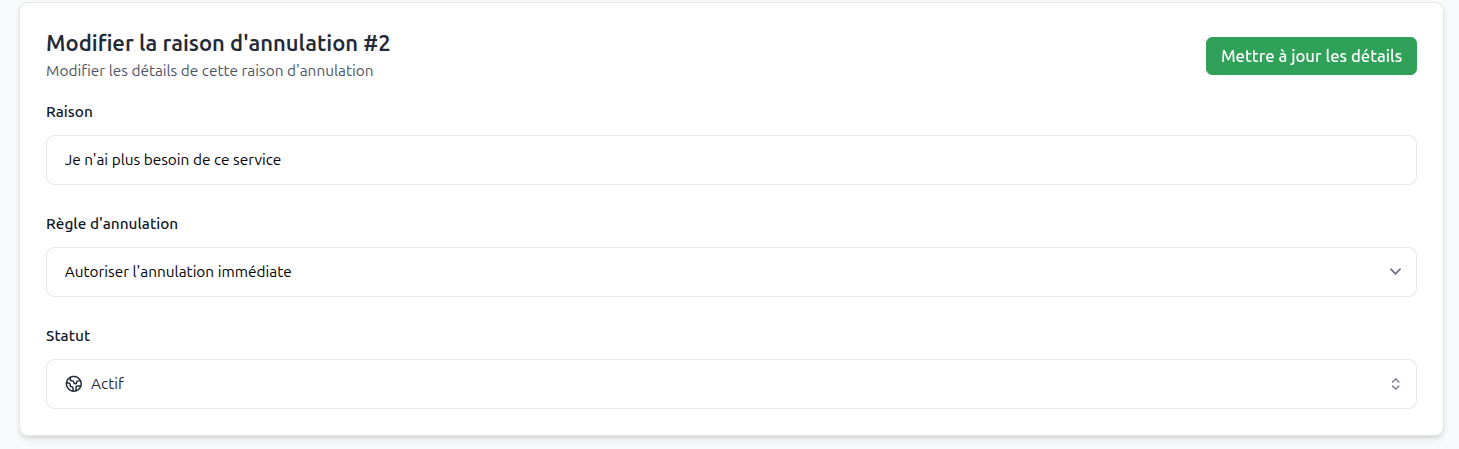
For manual cancellations, the cancellation_message setting lets you prefill the support ticket with instructions or the information your team needs.
Clearer Product Groups
Product groups can now display badges, helping you highlight a popular, new, or recommended category in the storefront.

Full Plesk Access for Cloud Offers
ClientXCMS Cloud customers can now enable complete Plesk access and manage their hosting environment, files, and databases. To enable it, go to clientxcms.com > Services > Cloud > Enable Plesk.
Enabling Plesk locks extension changes for the Cloud service. Check your selected extensions before activation.
Domain Management: Providers Wanted for Testing
- We have also developed domain-management functionality, but it is not officially released yet. Before opening it to everyone, we want to test it with more domain providers and validate the integrations in real-world conditions.
If you are a provider or would like to help test this feature, please contact us. Your feedback will help us prepare a reliable official release.
A New Home for Your Ideas
The former ideas.clientxcms.com platform has been replaced by clientxcms.com/ideas. Suggestions and feature requests are now managed directly in ClientXCMS through the new Idea addon, providing a more consistent experience for the entire community.
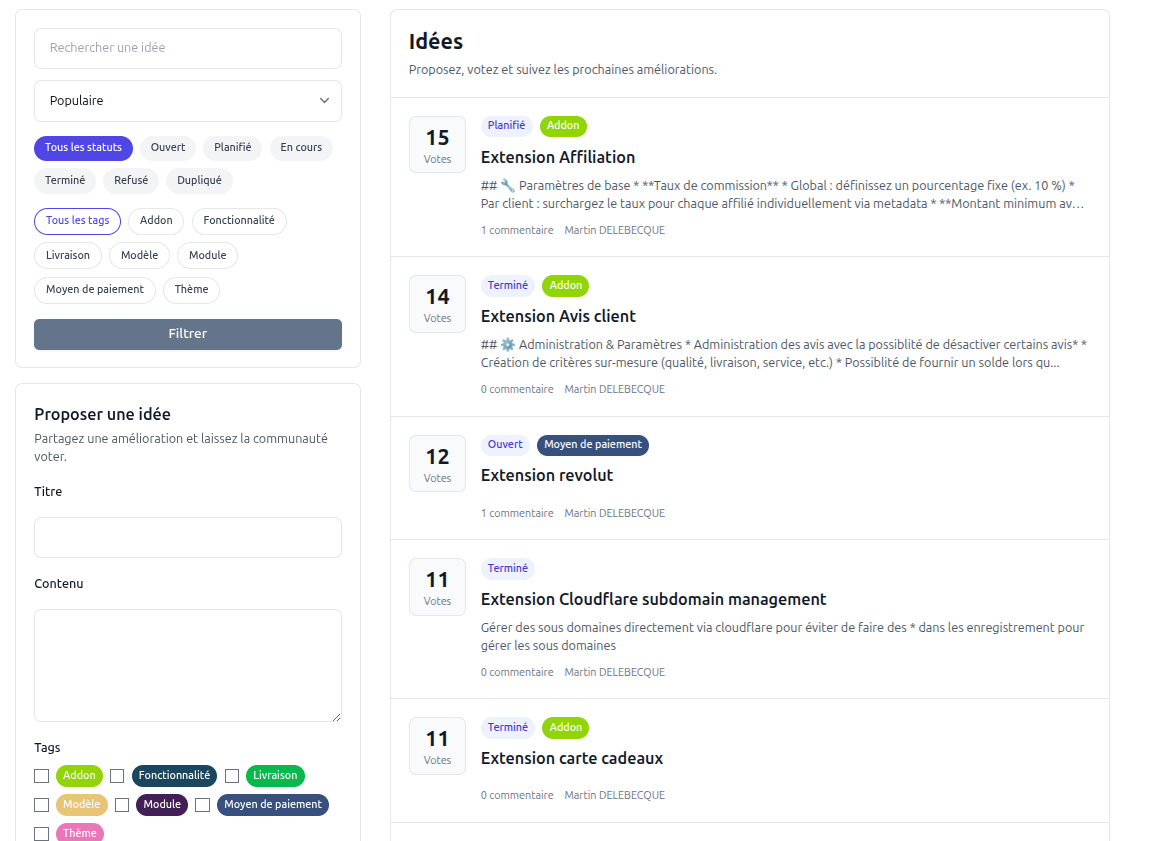
The Idea addon is available free of charge from the ClientXCMS marketplace. You can install it on your own ClientXCMS website to collect, organize, and track your customers' suggestions.
And Much More
Version 2.16 also brings support-department SLAs, service-status polling, better extension isolation, accessibility improvements, redesigned error pages, and numerous billing and stability fixes.
Read the complete ClientXCMS 2.16 changelog for every technical detail.